1st November 2026 · 16 min
Human Focused Design: Principles and Practice

In 2018, 5.3 million UK adults, 10.0% of the adult population, were internet non-users, meaning they'd never used the internet or hadn't used it during the previous three months, according to the Office for National Statistics. That historical figure challenges a comfortable product assumption: putting a service online doesn't mean people can use it. Human focused design starts with the gap between making something available and making it genuinely usable.
Table of Contents
- What Human Focused Design Actually Asks
- Principles That Keep a Product Usable
- Research Personas and Usability Testing
- How to Apply It Across a Product Build
- AI Agents and People Who Need a Helper
- Engagement and Support Outcomes You Can Track
- Brief the Next Product Around Real Users
What Human Focused Design Actually Asks
Human focused design means shaping a product around what people can do, understand and trust. It doesn't start with an ideal customer who sees every label, understands every instruction, remembers every password and has uninterrupted internet access.
It starts with someone trying to get something done under real conditions. They might be applying for training on a shared phone, checking an invoice with a screen reader, or asking a colleague to help complete an unfamiliar form.
An entrance that opens only when you already know the code isn't meaningful access. A digital service can create the same problem through unexplained terminology, inaccessible controls or an account-recovery process that assumes everyone owns another device.
Start with the task and its conditions
The useful question isn't whether someone likes the interface. It's whether they can complete the task, understand the consequences and recover when something goes wrong.
For a UK product team, that means investigating constraints before deciding what to build:
- Skills and confidence: Can someone recognise the next step without knowing your industry's vocabulary?
- Disability and access: Can they operate the service using their usual assistive technology?
- Time and circumstances: Can they pause, return and continue without losing work?
- Language and trust: Do they understand what you're asking for and why?
- Support relationships: Can they get legitimate help without handing over unrestricted account access?
These aren't unusual edge cases to consider once the main journey works. They help define what a working journey is.
More than appearance or motivation
Human-centred design is a close cousin: both keep people's needs central to decisions. Here, focused stresses practical capabilities, motivations and circumstances rather than visual taste alone.
The phrase also appears in discussions of gamification. The approach described here isn't a rebrand of gamification. Points, progress indicators or rewards won't repair a form that someone can't use, and increasing engagement isn't useful if people can't achieve their purpose.
Nor is this a compliance pass after the interface is finished. Research affects the scope; accessibility affects the architecture; supported use affects permissions; automation affects responsibility.
A product hasn't succeeded merely because the software completed its operation. The person must be able to achieve the intended outcome.
That distinction changes everyday product decisions. A saved draft might matter more than a shorter form. An explicit confirmation might matter more than a faster checkout. A visible route to a person might matter more than keeping everyone inside an automated conversation.
Principles That Keep a Product Usable
Human focused design principle scorecard
| Principle | Design question | If you skip it | How you check |
|---|---|---|---|
| Real constraints | Who cannot finish this task today? | A live service many people cannot use | Research with limited-skill and disabled users |
| Task success | Can they complete the job, not just admire the screen? | Polished UI and abandoned flows | Task completion, errors and time on task |
| Accessible by default | Can keyboard, zoom and screen-reader users finish? | Accessibility left as a late patch | WCAG 2.2 AA plus tests with disabled users |
| Plain language and recovery | What happens when they get stuck? | Support tickets caused by the interface | Clear errors and successful recovery |
| Supported use | Who helps them, and with what consent? | Privacy and safeguarding gaps via helpers | Separate identities and private steps |
| Graduated autonomy | What may software do without a person? | Frictionless actions people will not trust | Preview, undo, audit trail and a human route |
Score behaviour rather than intentions
GOV.UK accessibility guidance states that approximately 1 in 5 people in the UK have a long-term impairment affecting everyday activities and recommends WCAG 2.2 Level AA as a minimum, alongside testing with disabled users. Treat that as a design and engineering requirement, not an invitation to run a scanner just before release.
A specification should describe keyboard operation, semantic headings, sufficient colour contrast, scalable text, labelled controls and understandable validation. Where media carries information, include captions or transcripts. Describe expected assistive-technology behaviour so developers and testers have something concrete to verify.
Consider a booking sign-up flow. The team should score the complete task, from choosing an appointment to receiving a usable confirmation, rather than assessing each screen in isolation.
- Real constraints, red: No disabled or low-confidence participant has tried the form. The team has no evidence about who can finish.
- Accessible by default, amber during investigation: Automated checks pass, but manual keyboard testing hasn't finished. If that testing reveals an unreachable submit button, the rating becomes red because the task is blocked.
- Graduated autonomy, red: An agent confirms a consequential booking without showing the details or providing a workable cancellation route.
This avoids a common scoring mistake: treating partial checks as proof of success. A clean automated report can coexist with a control that a person can't operate.
Make the colours actionable
Use red for a blocked task or an unacceptable risk. Use amber for incomplete evidence or a weakness that needs investigation. Reserve green for behaviour demonstrated under the relevant conditions, not a designer's confidence.
Attach evidence to each rating: a failed keyboard test, a participant's misunderstanding, or a successful recovery attempt. Name the affected task and the person responsible for the fix.
Before commissioning additional interface work, give every red row a named fix, an owner and a retest date. Don't let the scorecard become another presentation that sits beside an unchanged backlog.
Research Personas and Usability Testing
Only 13% of disabled adults surveyed agreed that new technology is often designed with disabled people in mind, according to the UK government publication on digital inclusion for disabled adults. A team's own habits aren't an adequate substitute for understanding the people who will use its product.
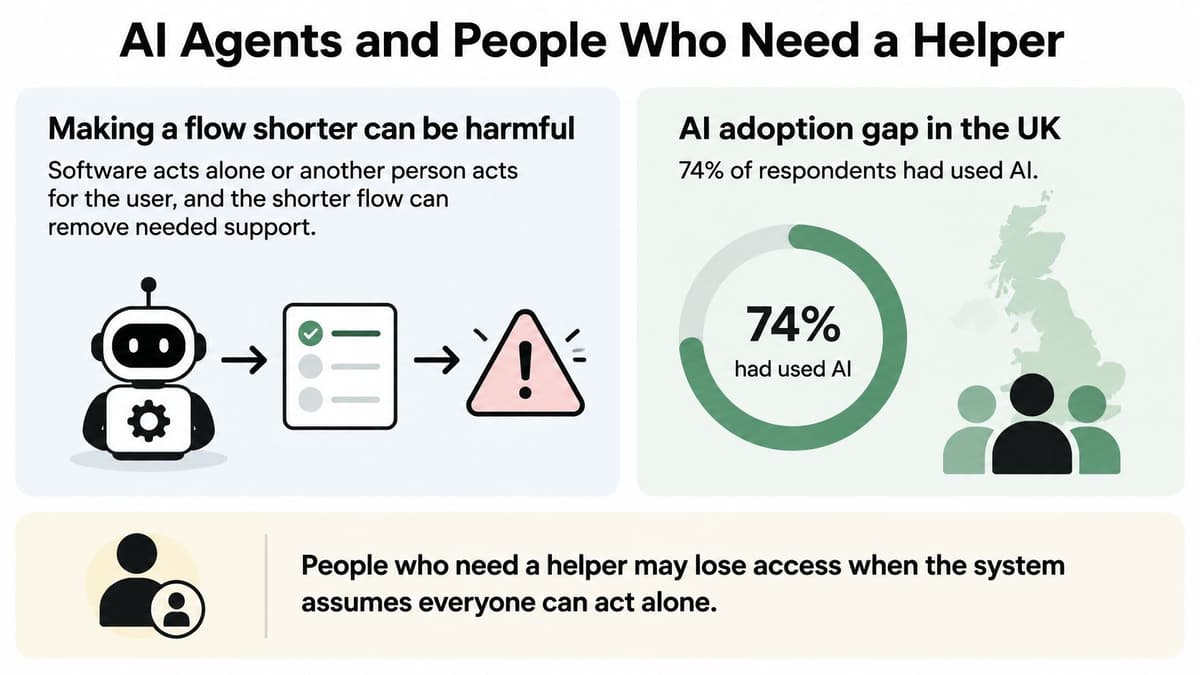
Research should include the relationships around a task, including help from another person and delegation to software. The illustration below highlights why those relationships deserve investigation.
Choose methods by the uncertainty
Discovery interviews belong before the scope hardens. Ask participants to describe a recent attempt at the task, the workaround they used and the point at which they needed help. The output should be a set of observed needs and constraints, not a collection of requested features.
Build personas or behavioural archetypes from those observations. A useful archetype might describe someone who understands the task but relies on a colleague for document uploads. A fictional name, stock photograph and invented preference for technology won't explain a design decision.
Use the following methods where they answer a specific question:
- Journey mapping: Record handoffs, waiting periods, helper involvement and offline steps. Produce a map that identifies who acts and where responsibility changes.
- Prototype testing: Give participants a realistic task in a clickable flow. Record comprehension, mistakes and completion rather than asking whether the screen looks professional.
- Accessibility evaluation: Combine automated checks with manual keyboard, screen-reader, zoom and reflow testing. Add moderated sessions with people whose impairments are relevant to the journey.
- Post-launch investigation: Examine failures and recruit people who struggled, including those who left before reaching the main service.
For early interface work, a practical guide to creating wireframes can help teams turn an uncertain journey into something testable without polishing every detail.
The accompanying video offers another format for exploring the topic.
Keep the evidence traceable
Recruit during discovery, prototype evaluation and post-launch review. Include disabled participants, people with limited confidence and people who receive help, rather than assuming a demographic spread covers every relevant constraint.
Keep participant quotations separate from the team's interpretation. Pair what someone said with what they attempted and what happened.
A useful research record contains a genuine quotation, an observed failed task and a comparison that an overall average would hide. Don't invent the quotation or turn a single observation into a claim about everyone with the same disability.
How to Apply It Across a Product Build
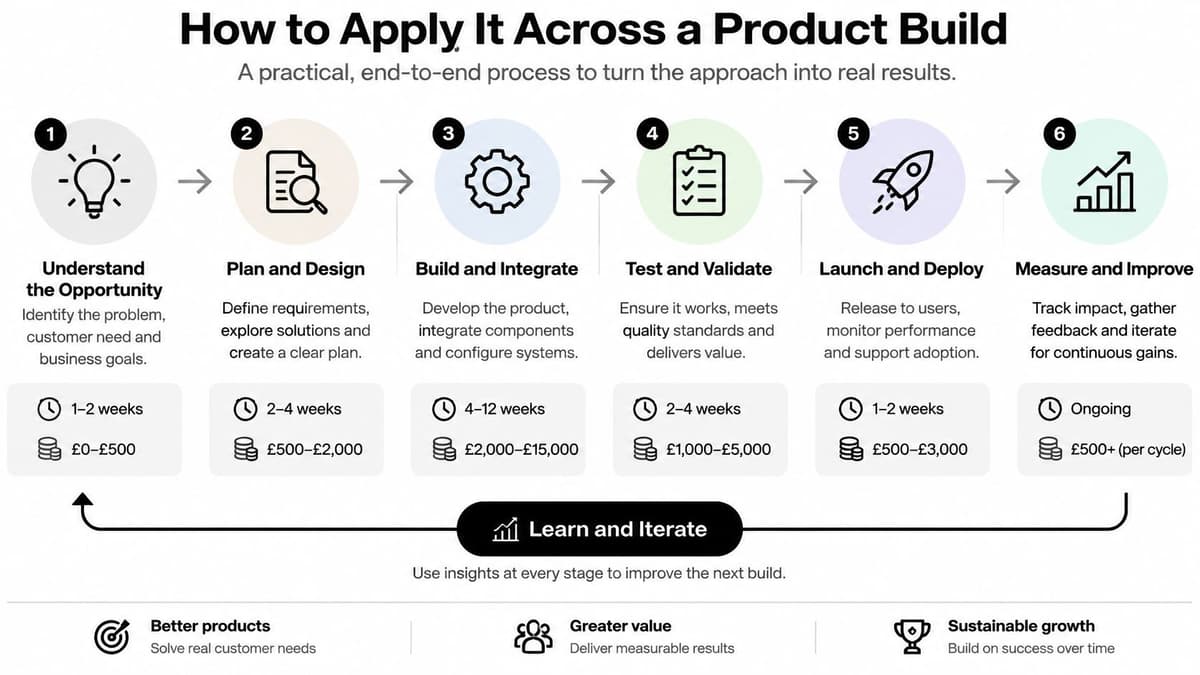
A human-focused build needs decisions that remain testable as the work moves from planning into code. The sequence below fits within Specification, Production, Launch and Support, the delivery steps we use at Digital Souls Studios LTD.
The process illustration provides a high-level view; the operational checks belong in the work itself.
Turn uncertainty into acceptance criteria
Write the problem in the user's words. State the task, who struggles and what successful completion means. The usual slip is specifying a feature, such as a dashboard, without explaining the job it must enable.
Recruit people who expose the assumptions. Include relevant disabilities, confidence levels and supported-use arrangements. Record circumstances and workarounds rather than treating feature requests as a ready-made roadmap.
Map the whole service. Include messages, documents, alternative channels, private steps and human handoffs. A polished website won't rescue a journey that fails when someone must telephone an unavailable team.
Prototype the riskiest task. Use clickable Figma wireframes to test the uncertain interaction before committing to detailed implementation. Don't spend the prototype budget proving that people can use an uncomplicated home page.
During Specification, our client explains the idea in writing and we put together a specification aligned with the work. A useful specification includes observable acceptance criteria, such as whether someone can recover an interrupted application without re-entering completed information.
For a first release, building a minimum viable product should mean narrowing the scope, not removing the conditions that make the remaining task usable.
Keep the checks alive during delivery
Build accessibility into implementation. Agree control behaviour, labels, focus handling, error messages and media alternatives before treating a component as finished. The usual slip is assuming the visual design communicates all the engineering requirements.
Review against the scorecard during production. In our Production step, we design and build with regular updates. Use reviews to inspect working behaviour and unresolved risks, not just screenshots and feature counts.
Launch something the operating team can run. Confirm support ownership, incident handling and a way to observe failed journeys. A working deployment isn't sufficient if nobody knows how to help a locked-out user.
Prioritise observed exclusion after launch. Look at failed tasks, abandonment and support reasons together. Fix the most consequential barrier rather than whichever cosmetic issue is easiest to demonstrate.
Say an onboarding form looks finished on a designer's laptop. At high zoom, its fixed footer covers the continue button; meanwhile, a colleague helping with registration enters their own details into fields intended for the account holder.
Those are different defects. The first needs layout and reflow work; the second needs clearer roles, permissions and account ownership. Redesigning the button colour addresses neither.
Delivery gate: Move forward on evidence that people can complete the task, not approval of a mood board.
AI Agents and People Who Need a Helper
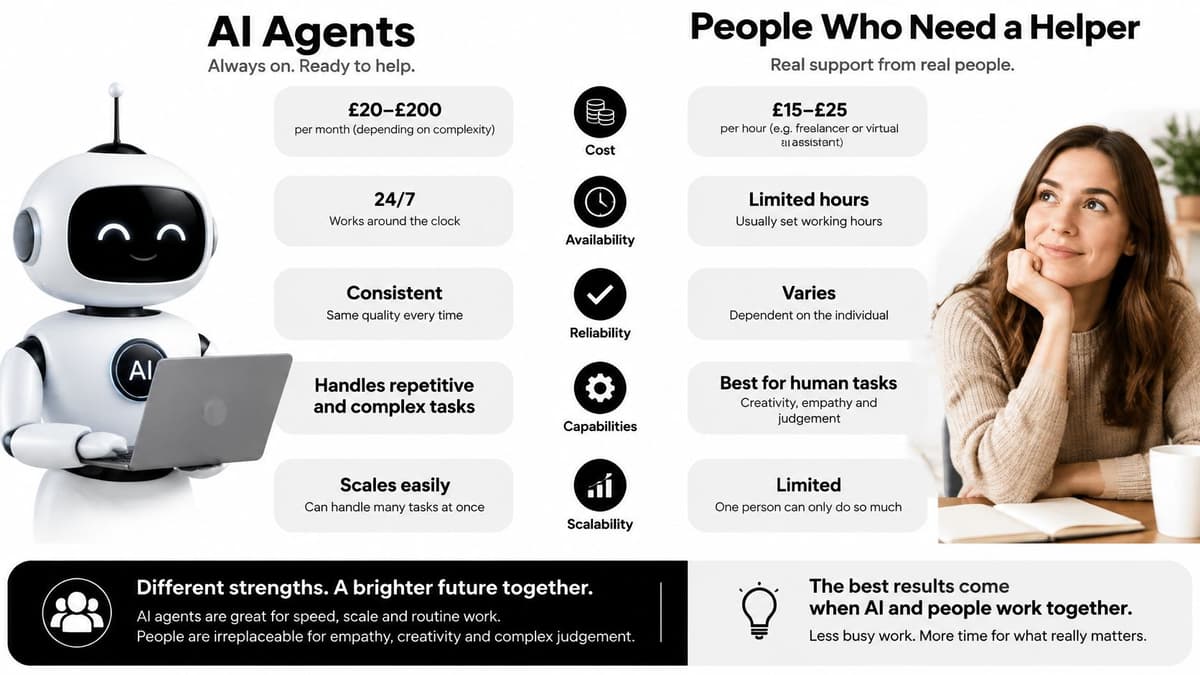
Making a flow shorter can be harmful when software acts alone or another person acts for the user. Removing a review step can remove the moment when someone notices the wrong recipient, challenges an assumption or understands what they're authorising.
The adoption gap makes that distinction important: 74% of UK respondents had used AI in the previous six months, but only 14% were comfortable with fully autonomous, agent-led systems, according to EY's UK AI adoption and trust findings. Familiarity with AI isn't permission for a product to act without review.
Match autonomy to consequences
Graduated autonomy means granting software permissions according to the risk of the action. Drafting a message, sending it and changing an account entitlement shouldn't automatically receive the same level of freedom.
Show uncertainty where it affects the decision. Preview the proposed action, require approval where harm is difficult to undo, and retain a readable record of what happened. Explain which information the agent will use and provide a direct route to a person.
Say a support agent drafts a reply about a disputed payment. The user should be able to inspect the recipient, wording and relevant account details before sending. If the system can't establish whether the proposed resolution is authorised, it should escalate rather than improvise.
An undo control helps only when reversal is genuinely possible. Don't label an action reversible if the recipient has already received sensitive information.
Design legitimate help rather than password sharing
Among people receiving digital help, reported barriers included insufficient digital skills at 55% and low confidence at 53%, according to the government report on informal and proxy support for digital inclusion. Design for that relationship explicitly.
- Permission boundaries: Let the user authorise particular tasks without granting unrestricted access.
- Visible responsibility: Distinguish the account holder from the helper and record who performed an action.
- Private information: Provide a protected route for sensitive details that the helper doesn't need.
- Continuity: Offer printable or offline alternatives and recovery when the usual helper is unavailable.
Consider a benefits-style application completed with a support worker. The worker may help explain questions and upload documents, but the applicant still needs a clear opportunity to review the declaration and understand what will be submitted.
This isn't the same design problem as an AI-generated draft. Both involve delegation, but human helpers bring their own relationships, authority and safeguarding considerations. An accessibility statement doesn't replace permissions, consent or workable support arrangements.
Engagement and Support Outcomes You Can Track
Engagement means completing something that matters, not merely spending more time on a page. Likewise, reducing support demand should mean removing avoidable confusion, not making the help link harder to find.
In 2025, 60% of surveyed UK digital identity services adhered to WCAG 2.0 AA or higher, up from 54% in 2024, according to the Department for Science, Innovation and Technology's inclusion monitoring report. That measures reported adherence within the surveyed sector, not whether every user successfully completed every identity journey.
Outcomes that show human focused design is working
| Measure | Progress looks like | Do not misread it as |
|---|---|---|
| Task completion by group | More people finish, including disabled users | One average that hides who fails |
| Time on task | Less struggle on a known job | Speed gained by skipping a safeguard |
| Errors and recovery | Fewer mistakes and clearer ways back | Silence because people abandoned the form |
| Support contacts per active user | Fewer how-do-I tickets caused by the UI | A drop because help is hard to find |
| Repeat completion | People return to finish a valued task | Long visits with no completed job |
| Assistive-technology success | Keyboard, zoom and screen-reader users finish | A scanner score with no human test |
Define the decision behind each metric
For task completion, define the endpoint before instrumenting it. Clicking submit isn't success if the application is rejected because the interface encouraged incorrect information. Compare relevant participant groups using consented research information rather than guessing disability from browsing behaviour.
Use time on task for a known job with a stable definition. A shorter duration can indicate less struggle, but it can also mean someone skipped an important review. Pair timing with correctness and understanding.
For errors and recovery, record whether people regained progress. Repeated validation messages and eventual abandonment tell a different story from a mistake that someone corrects independently.
Interpret support and return use carefully
Classify support contacts by reason. Separate interface-induced questions from genuine account problems, policy questions and cases requiring human judgement. When implementing an AI chatbot for customer service, count unresolved issues and successful handoffs rather than treating every automated conversation as a resolved case.
For learning or practice products, examine whether people return to complete a valued activity. Long sessions may reflect productive practice, confusion or an unattended browser tab.
Choose a small set of measures before launch, record a baseline and give each measure an owner. Treat a widening gap between groups as a design defect to investigate.
Fix the disparity blocking a high-value task before adding a feature that only already-successful users can reach.
Brief the Next Product Around Real Users
Write a short product brief before requesting another interface. Make it specific enough that a designer, engineer and support lead can agree what must work.
- The task that matters: What must someone be able to accomplish?
- Who cannot complete it today: Include people who need a helper, not just independent account holders.
- The automation boundary: What may software do without approval?
- The human route: Who takes over when the journey fails?
- The outcome measures: Which signals will determine whether the change helped?
Test the brief before expanding the scope
Choose a critical journey and recruit participants who differ in ability, confidence and support needs. Give them a realistic task and observe without explaining the screen.
Record each stall, misunderstanding and failed recovery against the scorecard. Don't call a task successful because a team member stepped in with instructions that the live service won't provide.
If the team can't identify a real user and a failed task, investigate before adding features. Teams without in-house capacity can bring that brief to Digital Souls Studios LTD; Catalina Crisan works with clients on the scope, design and launch of digital products.
This week, score your current journey against the principles and book research with someone your average completion rate leaves out. Make the next design decision from an observed difficulty, not an assumed preference.
Digital Souls Studios LTD offers Figma interface design, wireframes, clickable prototypes and engineering through launch and support. Bring a critical user journey and the barriers you need to resolve to Digital Souls Studios LTD, and discuss turning them into a testable specification and product build.