31st October 2026 · 16 min
Search Engine for Ecommerce: How to Choose in 2026

In a nationally representative survey of 1,000 UK consumers aged 18–65, search engines and online marketplaces were the two most common starting points for online shopping journeys in November 2024, according to Attest's UK Consumer Trends report. That finding changes the buying question: choosing a search engine for ecommerce isn't just choosing software for the search box on your website. It's deciding how your products can be found, understood and trusted across several search environments.
Table of Contents
- Where UK Shoppers Actually Start Product Search
- Four Search Approaches Compared Side by Side
- Scorecard for Evaluating an Ecommerce Search Engine
- Relevance Beyond Keywords and Autocomplete
- Trust Signals Stock and Machine Readable Data
- Which Setup Fits Your Catalogue and Team
- Choose a Search Engine for Your Catalogue
Where UK Shoppers Actually Start Product Search
The split between marketplaces and conventional search is close. In a separate 2024 survey of consumers across five European markets, 45% of UK shoppers preferred major marketplaces such as Amazon and eBay to find an item, while 44% preferred search engines, according to Attest's survey report. For retailers, that near-even division means discovery isn't confined to a search bar on a shopfront or a results page on Google.
Think of ecommerce search as three connected surfaces:
- The retailer's on-site search, where shoppers query the catalogue directly.
- Marketplace search, where Amazon, eBay and other retailers index listings against their own ranking and filtering systems.
- External web search, where Google or Bing can send shoppers to product pages, categories and buying guides.
Each surface has a different owner. Retailers control their catalogue structure, on-site ranking, stock freshness and the structured data they publish. They can improve product titles, variant details and availability information to help marketplaces and search engines interpret listings, but they don't control the algorithms that rank those listings.
Two jobs for the search box
A strong on-site engine must do more than return a product when someone enters its exact name. It also needs to interpret an underspecified shopping problem: a shopper may know the occasion, budget or fit they need without knowing the product name or the right catalogue terms.
That distinction has practical consequences. Exact-name searches depend on clean identifiers and reliable indexing; problem-led queries depend on useful attributes, synonyms and a ranking system that can combine constraints rather than match words in isolation. Both matter, and a search engine that handles one well can still fail at the other.
Channel choice reinforces the point. In 2025, 69% of UK online adults used Google to search for products they were interested in buying, while 56% used Amazon, according to Forrester's October 2025 Consumer Pulse Survey. Treat either channel as irrelevant and you leave a visibility gap.
Good catalogue design also supports the wider experience of finding and evaluating products. That's where thoughtful UI and UX design connects with search: the engine has to return useful results, and the interface has to help shoppers understand them. The sections ahead compare four approaches, set out a scorecard, and show how to test whether an engine can explain its answer rather than merely match a phrase.
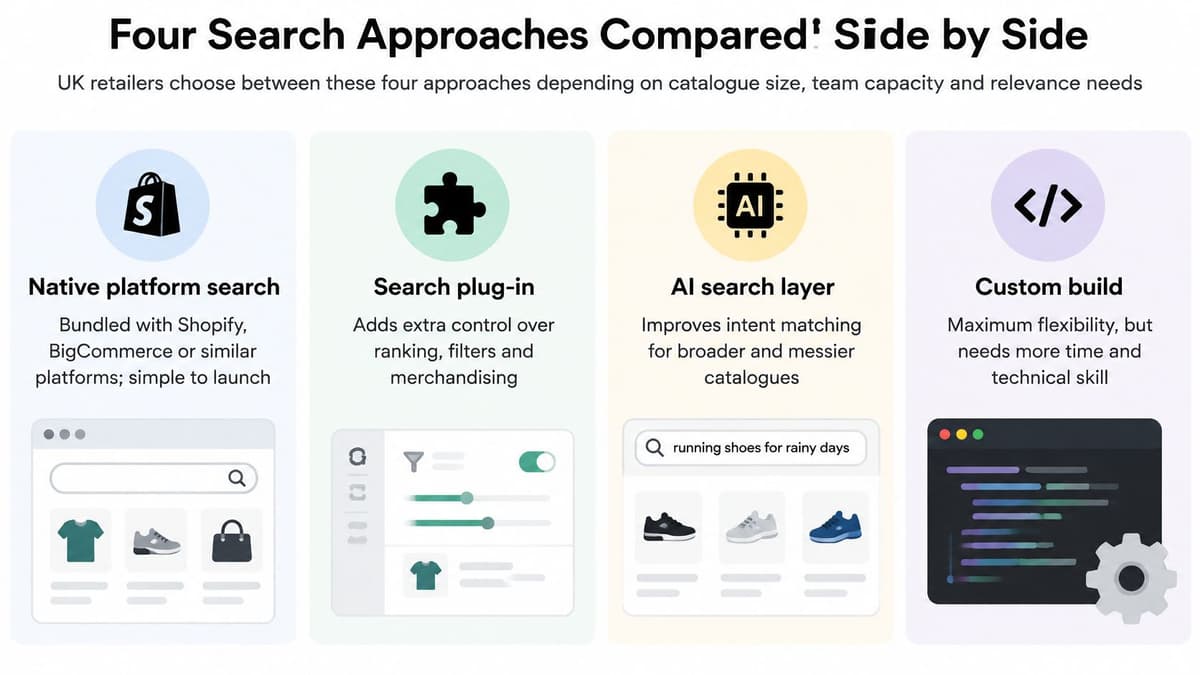
Four Search Approaches Compared Side by Side
The right search setup is the one your catalogue and team can maintain. A polished vendor demo may show fast results and tidy controls, but it won't tell you whether your product feed stays current, whether your team can tune ranking without breaking relevance, or who will investigate a bad result after launch.
| Approach | Best when | Main weakness | Who should own it |
|---|---|---|---|
| Native platform search | Small catalogue, standard filters, one shopfront | Weak synonyms, limited ranking control | The ecommerce operator |
| Hosted search service | Mid-size catalogue needing typo tolerance and merchandising | Usage pricing and a second index to sync | Operator plus a developer for the feed |
| Open-source search index | Custom ranking, several locales or unusual attributes | Ongoing tuning, hosting and monitoring | An engineering team |
| Semantic or AI layer | Shoppers ask in sentences and the catalogue has rich attributes | Confident wrong answers when data is thin | Product, content and engineering together |
Native platform search is the simplest starting point. Shopify, BigCommerce and similar platforms bundle search into the shopfront, which keeps launch and maintenance relatively straightforward. It's usually the first place to look for a small catalogue with standard filtering needs, but teams may find synonyms, ranking controls and complex stock logic limited. Its direct cost is typically the platform licence or plan; the less visible cost is the operator time spent working around those limits.
Hosted search services add a managed index, relevance controls and merchandising tools. They suit teams that need more control without operating the search infrastructure themselves, but the index becomes another feed to monitor and keep in sync. Budget for licence or usage fees, possible per-record charges, and developer time to connect and maintain the feed.
Open-source search, using an index such as Elasticsearch or OpenSearch, gives an engineering team more control over analysers, UK English handling and custom ranking. That flexibility brings responsibility for indexing, synonym management, hosting, tuning and uptime. The bill includes infrastructure and the ongoing engineering hours needed to keep the service dependable.
A semantic or AI layer can interpret broader queries and, when built well, show which constraints it applied. It's not a shortcut around catalogue quality: incomplete attributes give the model little solid evidence to work with. Costs can include the underlying search service, model or usage charges, and the time required to improve data and test answers.
The engine is only as honest as the attributes you send it.
Integration effort generally rises from a bundled platform feature to a custom index, while the ability to explain a result depends on both the search approach and the quality of the product data. Choose the row that fits your catalogue and team, then test that shortlist against the scorecard rather than buying from a feature brochure.
The approaches are easier to evaluate when you apply them to real catalogue constraints. The scorecard below gives you a consistent way to do that.
Scorecard for Evaluating an Ecommerce Search Engine
Use this scorecard on your own catalogue, not on a vendor's prepared demo. The test is whether the engine handles the products, data feeds and language your shoppers use.
| Criterion | What good looks like | Fail signal | How to test |
|---|---|---|---|
| Relevance | Top results match labelled intent for exact, synonym and problem queries | Popular items crowd out the right SKU | Score 30 real queries with a human-labelled best result |
| Language and typos | Handles misspellings, UK terms and a multi-constraint sentence | Exact string match only | Try a typo, a UK size word and one occasion-plus-budget query |
| Filters and facets | Facets match variant attributes and update with the result set | Filters show options with zero matching stock | Apply colour, size and price on a known variant |
| Speed | p95 query latency is measured on the live index, with freshness timed after a catalogue change | Demo uses a cached or tiny catalogue | Measure p95 latency, then time a stock or price update |
| Integrations | PIM, commerce, inventory, reviews and analytics stay in sync | Stock or price lags the shopfront | Change one price and one stock unit and time the index |
| Merchandising | Pins and boosts are separate from organic rank | Rules hide whether relevance works | Run the same query with rules on and off |
| Analytics | Zero-result, reformulation and revenue per search are visible | Only click-through is reported | Export a week of zero-result queries |
| Trust signals | Stock time, delivery promise and missing attributes are explicit | Every result looks equally certain | Check a low-stock variant and a product with no reviews |
Run tests that resemble live shopping
For relevance, pull real queries from your site-search logs and label the best result before you show them to a vendor. Include exact product identifiers, synonyms and problem phrases. A human-labelled answer gives you a reference point; without one, it's easy to mistake a plausible-looking results page for a relevant one.
Language testing should include the kinds of terms that make a catalogue brittle: a misspelling, a UK sizing term and a query with several conditions. For filters, check variant-level attributes rather than assuming that a colour, size or price attached to a parent product will apply correctly to every variant. A facet that offers options with no matching stock is worse than a missing filter, because it invites a dead end.
Measure speed on the index size the system must serve. Use p95 query latency, and separately time how quickly a real price or stock change becomes searchable. A fast demo with a small or cached index doesn't tell you how the live catalogue will behave.
Check controls, data and evidence
List every system that needs to stay aligned: commerce platform, product information management (PIM), inventory, reviews and analytics. Then test a feed change and verify the result in search. For merchandising, compare the same query with boost rules enabled and disabled; otherwise, a rule might be masking weak organic relevance.
Search analytics should help the team see failed searches and their consequences, not only clicks. And result pages need to communicate uncertainty: shoppers should be able to distinguish a current availability signal from an unverified assumption. For related engineering work, website performance optimisation can help address the broader experience around search, though it can't substitute for relevant results.
Score every row pass, partial or fail on your catalogue before discussing a contract. If a vendor won't support a live-data test, that limitation is itself useful information.
Relevance Beyond Keywords and Autocomplete
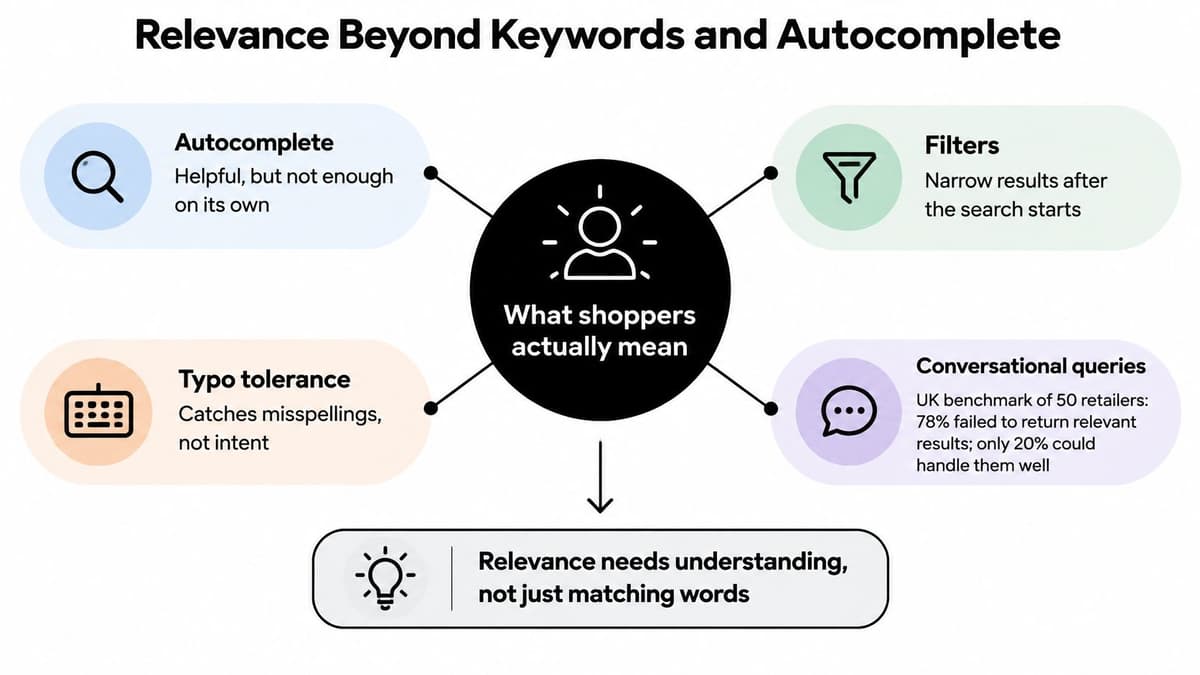
A UK benchmark of 50 retailers found that 78% failed to return relevant results for conversational, natural-language queries, while only 20% could understand natural language and provide a precise product match, according to the UK ecommerce search benchmark. That's a warning against treating autocomplete, filters and typo tolerance as a complete search strategy. They can improve the mechanics of a search box without helping it understand what the shopper means.
Consider the query: “something smart for a winter wedding under £150, petite fit, available in London.” A useful engine has to interpret at least six constraints:
- Occasion: suitable for a wedding.
- Season: appropriate for winter.
- Price: under the stated ceiling.
- Fit: petite, which is a fit attribute rather than a brand.
- Place: London.
- Stock: available for the location or fulfilment route requested.
The result page should make clear which constraints it applied and which it couldn't satisfy. If the catalogue doesn't contain a verified petite-fit attribute or local stock data, the system shouldn't pretend it found an exact match.
Test the language shoppers use
UK-specific language can trip up a system that looks convincing on clean product names. A shopper may search for “trainers” where a product description uses “sneakers”; UK and EU dress sizes aren't interchangeable labels; and “petite” or “tall” should map to fit information, not to a brand name. Colour spelling also matters when shoppers use “colour” and the catalogue or search configuration expects “color”.
Don't assume an AI layer will resolve every mismatch. It may recognise related wording, but product attributes still need to say what the item is, how it fits and which variants are available. The distinction is important: language understanding can interpret a request, while catalogue data determines whether the retailer can fulfil it.
A separate finding from the same UK search source adds a useful nuance: conversational fashion searches rose 44% year on year during Christmas 2025. Styling advice made up 59% of prompts, compared with 14% for price comparison and 11% for size or fit, according to the UK ecommerce search benchmark. A shopper asking for an outfit recommendation may not be trying to compare prices or narrow a size filter; the query can be a request for help choosing.
For a simple offline test, collect 20 advice-style queries from support tickets or search logs. Label the constraints in each one, then check whether the top three results satisfy every constraint the catalogue can support. That test exposes the risk of optimising lexical relevance while losing shoppers whose search looks more like a request for advice than a catalogue command.
Trust Signals Stock and Machine Readable Data
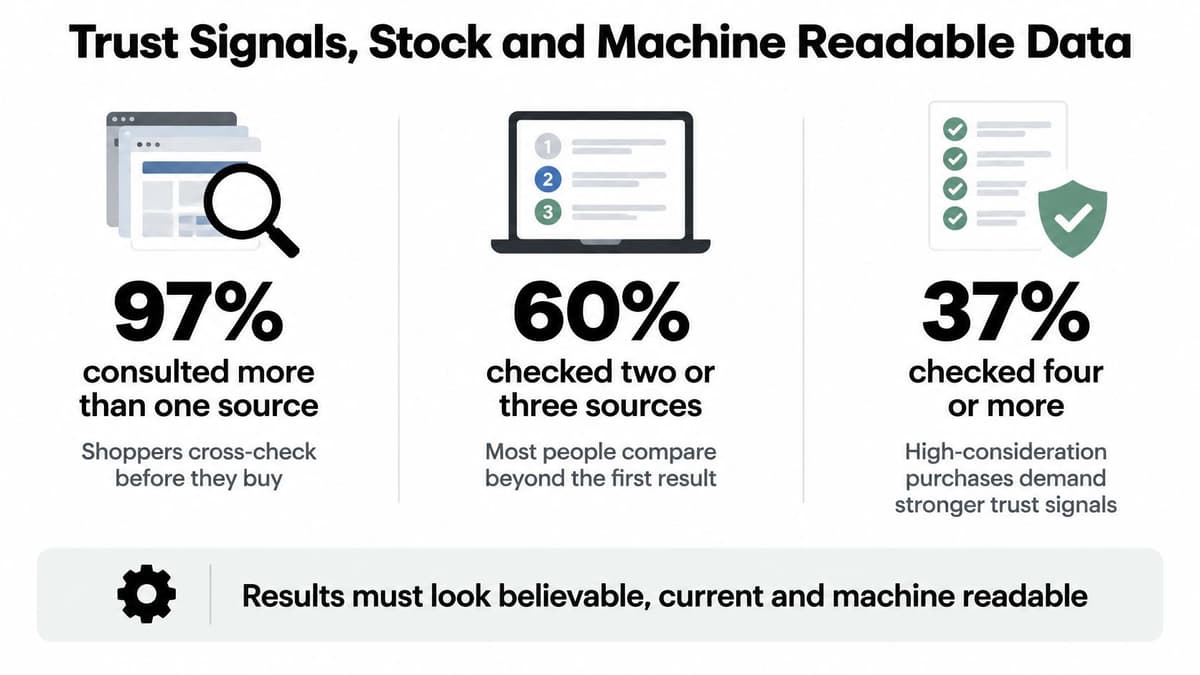
Finding a product is only useful if a shopper can trust the information attached to it. In one 2026 shopper study, 97% of consumers consulted more than one source before buying, 60% checked two or three sources and 37% checked four or more, according to Ecommerce News UK's report on shopper behaviour. Search results therefore need to do more than put products in order. They need to show why an availability or product claim is believable.
Separate UK retail research found that 70% of shoppers wanted websites to show in-store availability, while 46% used search engines immediately before purchase to validate reviews, delivery options and stock, according to Ecommerce News UK. Yet recent UK audits indicate that 41% of leading retailers lack the structured data AI shopping agents need to interpret their websites, including metadata, internal links, image descriptions and accessibility labels, the same source reports.
Show evidence, not false confidence
Search can't make conflicting operational systems agree by ranking their outputs more elegantly. Warehouse stock may disagree with a shop floor, a marketplace listing may use a different delivery cut-off, or a review may belong to another size or colour. A delivery promise copied from yesterday can make a result appear current when its underlying evidence is stale.
Showing fewer confident results can be more useful than ranking a stale item first.
A result should be able to show or withhold the fields that support a purchase decision:
- Availability context: stock timestamp and relevant store or fulfilment location.
- Fulfilment terms: delivery promise and returns conditions.
- Review evidence: whether the review applies to the exact product variant.
- Data gaps: which attributes are missing or unverified.
Those signals matter to AI systems as well as people. A machine-readable catalogue should make it possible to distinguish an actual size and colour variant from a broad parent product, and a current availability value from a stale one.
Measure correctness as well as clicks
For a proof of concept, track stock correctness, delivery-promise accuracy, variant-level review matching and the share of natural-language answers backed by current catalogue data. These measures show whether the system can make reliable claims, not only whether a shopper clicked a result.
Set one firm acceptance rule: fail any engine that can't say when its data is old. If an integration cannot support a freshness timestamp, the result page should avoid presenting the value as certain. Search that exposes missing evidence gives shoppers and the retailer a chance to act; search that hides uncertainty turns a data problem into a trust problem.
Which Setup Fits Your Catalogue and Team
The same feature list can produce very different outcomes for different retailers. The deciding factors are the shape of the catalogue, where stock lives and who'll own relevance after launch.
A fashion boutique with a few hundred SKUs, colour-heavy browsing and no in-house engineer should usually keep native search. Clean up colour and UK sizing attributes first, then maintain a useful synonym list. Buying a separate platform won't fix a catalogue that can't describe the variants shoppers want.
A multi-brand retailer with frequent price changes and a merchandiser who needs campaign pins is a stronger fit for hosted search. The condition is operational: the feed must update stock promptly enough that the engine doesn't keep promoting unavailable products. Assign the ecommerce operator to merchandising and a developer to the feed.
A retailer with both shops and a warehouse needs location-aware availability if “available in London” is a real shopping constraint. An open-source index or a hosted engine with a custom inventory feed can support that setup, provided an engineering owner is responsible for reconciling stock across locations.
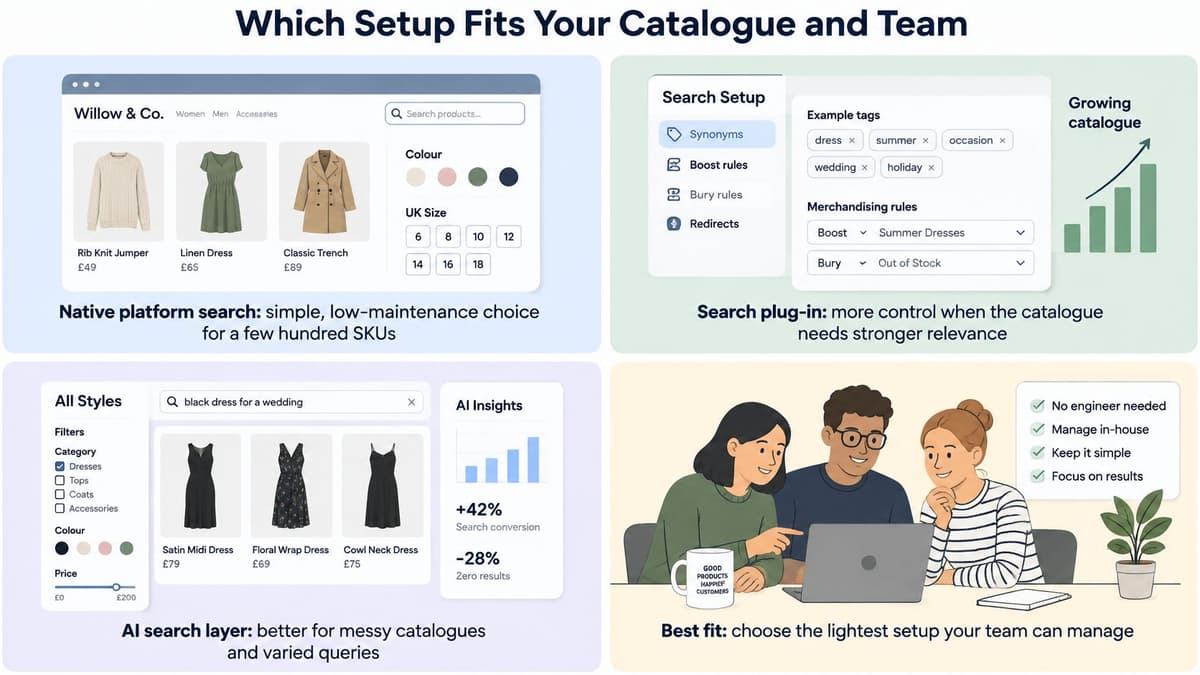
A brand whose shoppers ask styling or compatibility questions may benefit from a semantic layer, but only once its product attributes and stock timestamps are usable. In 2025, 38% of consumers surveyed in the UK, US and France had used AI tools for shopping tasks such as research, comparison or recommendations, according to Retail Economics' Future of Search and Discovery report. That's a reason to evaluate the experience carefully, not to launch unexplained answers.
Similarly, 67% of UK shoppers rated AI assistants as providing accurate and detailed product information in Akeneo's April 2025 survey of 250 UK consumers, according to Akeneo's survey announcement. A positive perception of assistants doesn't remove the need to verify the data behind an answer.
On-site search doesn't replace marketplace hygiene. Keep titles, variant details and availability clear wherever products are listed. Retailers planning a broader AI and automation approach for ecommerce should first decide which catalogue facts an assistant is allowed to use. Choose the setup against three realities: catalogue size, stock locations and the person who'll tune relevance after launch.
Choose a Search Engine for Your Catalogue
Treat procurement as a controlled pilot, not a feature contest. Run these steps before choosing a search engine for ecommerce:
- Export four weeks of on-site queries. Mark searches that returned no results and searches that shoppers reformulated.
- Label 30 queries. Record the intent and constraints the scorecard tests, including a multi-part shopping problem and a query where stock location matters.
- Shortlist one approach. Pick the option that fits your catalogue and the person responsible for maintaining it.
- Run identical tests on both systems. Compare relevance and whether each result reveals its stock timestamp and missing attributes.
- Test on a subset of live traffic. Promote the new system only if zero-result and reformulation rates move in the right direction without hiding stale data.
Bring in a custom build when search needs to sit inside a bespoke shopfront, connect to a PIM feed or power an AI assistant rather than operate as a switch-on app. Digital Souls Studios LTD builds web development projects, from high-performance sites to web apps, using Next.js to Webflow.
Use your own query log to scope the pilot. It will show whether you need a better index, cleaner catalogue data or a more capable way to interpret shopper intent.
Digital Souls Studios LTD designs and builds web applications, SaaS products and AI integrations, including search experiences that connect catalogue data with the shopper's question. If you're planning a search pilot or a wider ecommerce build, visit Digital Souls Studios LTD to scope the work against your catalogue and query log.