4th October 2026 · 15 min
What Is the Difference Between Bluetooth and Wifi
You're choosing hardware for a new product, setting up connectivity across an office, or trying to understand why a pair of headphones connects instantly while a laptop needs a router. Both Bluetooth and Wi-Fi are wireless, but they aren't interchangeable versions of the same technology. They're designed to solve different connectivity problems.
The simplest distinction is this: Bluetooth usually creates a short-range link between nearby devices, while Wi-Fi connects devices to a local network and often to the internet. That difference affects speed, range, power use, reliability, product architecture, and the experience your users get.
Table of Contents
- What Bluetooth and Wi-Fi Actually Are
- How Range, Speed and Power Use Differ
- Spectrum, Regulation and UK Connectivity Context
- When To Choose Bluetooth or Wi-Fi in Practice
- Audio Quality, Hotspots and Tethering Decisions
- Choosing the Right Wireless Approach for Your Project
What Bluetooth and Wi-Fi Actually Are
Bluetooth and Wi-Fi both send information through radio waves rather than cables. They generally use licence-exempt, low-power radio spectrum, so organisations don't individually license each connection in the way they would for a dedicated licensed service. In the UK, Ofcom's spectrum statement explains the wider role of radio spectrum and the different performance needs of wireless technologies.
The important point is that the two systems were built around different jobs.
Bluetooth is a personal-area connection. It links nearby devices directly, often after a pairing step. A phone connects to headphones, a laptop connects to a mouse, or a wearable exchanges small amounts of data with an app. Bluetooth is designed to keep that link practical without demanding the same power or bandwidth as a full network connection.
Wi-Fi is a local-area network connection. A router or access point manages the network, and multiple devices use it to reach shared services, broadband internet, cloud applications, printers, cameras, and other systems. Your laptop might use Wi-Fi to join an office network, while a phone uses the same network to access a SaaS platform.
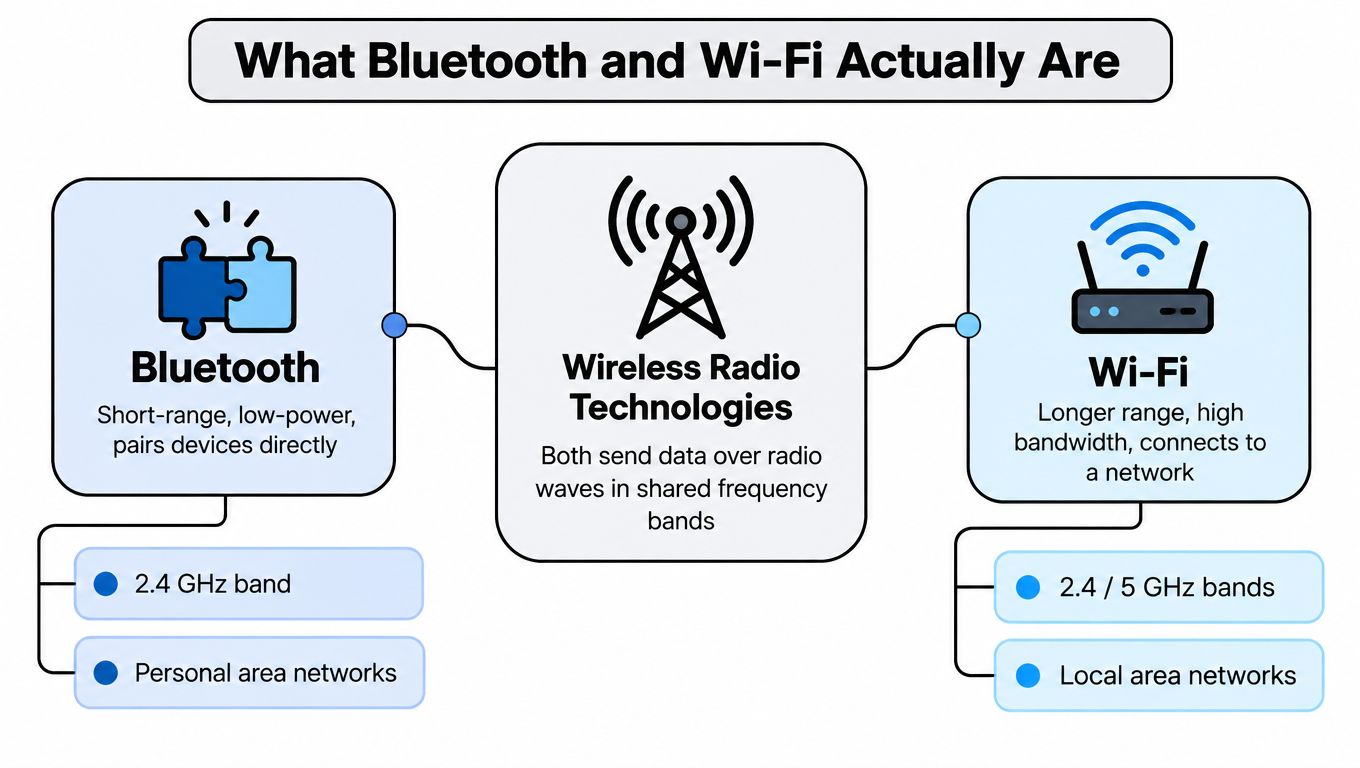
Direct link versus shared network
Bluetooth normally answers the question, “How do I connect these nearby devices?” Wi-Fi answers, “How do I connect these devices to a network that can serve several users and applications?”
That distinction explains why a Bluetooth keyboard can work without a router, while a web application normally needs network access. It also explains why a smart sensor might use Bluetooth to communicate with a phone during setup, then rely on Wi-Fi for broader access to cloud services.
Bluetooth typically operates in the 2.4 GHz range, while Wi-Fi can use 2.4 GHz and 5 GHz, with newer Wi-Fi generations also making use of 6 GHz capacity. Sharing a broad radio environment doesn't make the technologies equivalent. Their protocols, connection models, data rates, and energy demands remain different.
Practical rule: Choose Bluetooth when the product needs a nearby device link. Choose Wi-Fi when it needs network access, higher throughput, or service for several devices.
Neither technology is automatically better. A battery-powered asset tag has different requirements from a video meeting laptop. A pair of wireless earbuds needs a convenient personal connection, while a warehouse dashboard may need dependable access to a local network and cloud data.
How Range, Speed and Power Use Differ
A wireless connection has a job to do. Bluetooth is like a short conversation between nearby devices, while Wi-Fi is more like a shared road carrying traffic between many devices and services. The right choice depends on whether your product sends occasional small messages or needs continuous access to larger amounts of data.
The NHS England Digital wireless infrastructure guidance lists Bluetooth Classic at about 1 to 3 Mbps and Bluetooth Low Energy at 125 Kbps to 2 Mbps. These rates suit control commands, sensor readings, accessory data, and other small transfers. A keyboard, wearable, or asset tag usually sends brief updates rather than a continuous stream.
The same guidance lists higher rates for Wi-Fi. Wi-Fi 4 reaches 72 to 600 Mbps, Wi-Fi 5 reaches 433 to 6,933 Mbps, Wi-Fi 6 reaches 600 to 9,608 Mbps, and Wi-Fi 7 is listed at up to 46 Gbps. These are capability ranges for the technologies, not a guarantee that a laptop, sensor, or phone will receive the maximum rate inside a real building. Walls, distance, interference, access-point capacity, and other active devices all affect the result.
Bluetooth versus Wi-Fi performance at a glance
| Technology | Listed speed range | Suitable uses |
|---|---|---|
| Bluetooth Classic | About 1 to 3 Mbps | Keyboards, mice, headphones, controllers, direct device links |
| Bluetooth Low Energy | 125 Kbps to 2 Mbps | Wearables, beacons, sensors, asset tags, low-power updates |
| Wi-Fi 4 | 72 to 600 Mbps | General local networking and broadband access |
| Wi-Fi 5 | 433 to 6,933 Mbps | Higher-capacity office and home networking |
| Wi-Fi 6 | 600 to 9,608 Mbps | Dense, data-heavy wireless environments |
| Wi-Fi 7 | Up to 46 Gbps | Very high-capacity wireless networking |
Source: NHS England Digital communication service requirements guidance, see the link above.
Speed is only one part of the decision
A higher headline rate does not automatically make Wi-Fi the better option. Wi-Fi commonly requires more power and depends on local infrastructure such as access points, authentication, and network configuration. Those requirements can add work for a product team and reduce battery life for a small device.
Bluetooth's lower-power design suits equipment that sleeps for long periods and wakes only to send a small update. A wearable can report a reading without broadband-style throughput. An asset tag does not need to transfer a video file. A mouse only needs to send movement and button presses.
Wi-Fi fits devices that need sustained access to data-heavy services. Video calls, software updates, cloud dashboards, large file transfers, interactive applications, and busy multi-device environments all need the additional capacity and network access that Wi-Fi can provide.
Range depends on the environment
Bluetooth is generally intended for short-range connections, often within a person's immediate working area. Wi-Fi is designed to cover a local environment such as a home, office, ward, classroom, or warehouse. Its usable coverage still depends on building materials, access-point placement, device capability, interference, and the quality of the network design.
Range is therefore a deployment question, not a fixed promise. Bluetooth may work farther than expected in an open room, while Wi-Fi may struggle behind machinery, inside a cabinet, or across a dense office. A device that performs well on a test bench can behave differently in a ward, warehouse, or production site.
Test the intended devices in the actual installation area. Check whether they connect, then observe whether the connection remains stable as people move, doors close, nearby networks operate, and the battery completes its normal operating cycle. That evidence is more useful than choosing from a speed or range label alone.
Spectrum, Regulation and UK Connectivity Context
Radio spectrum is a shared national resource, so wireless design sits within a regulatory framework as well as a technical one. In the UK, Ofcom manages civil spectrum under the Communications Act 2003 and the Wireless Telegraphy Act 2006, as described in the Ofcom spectrum consultation material.
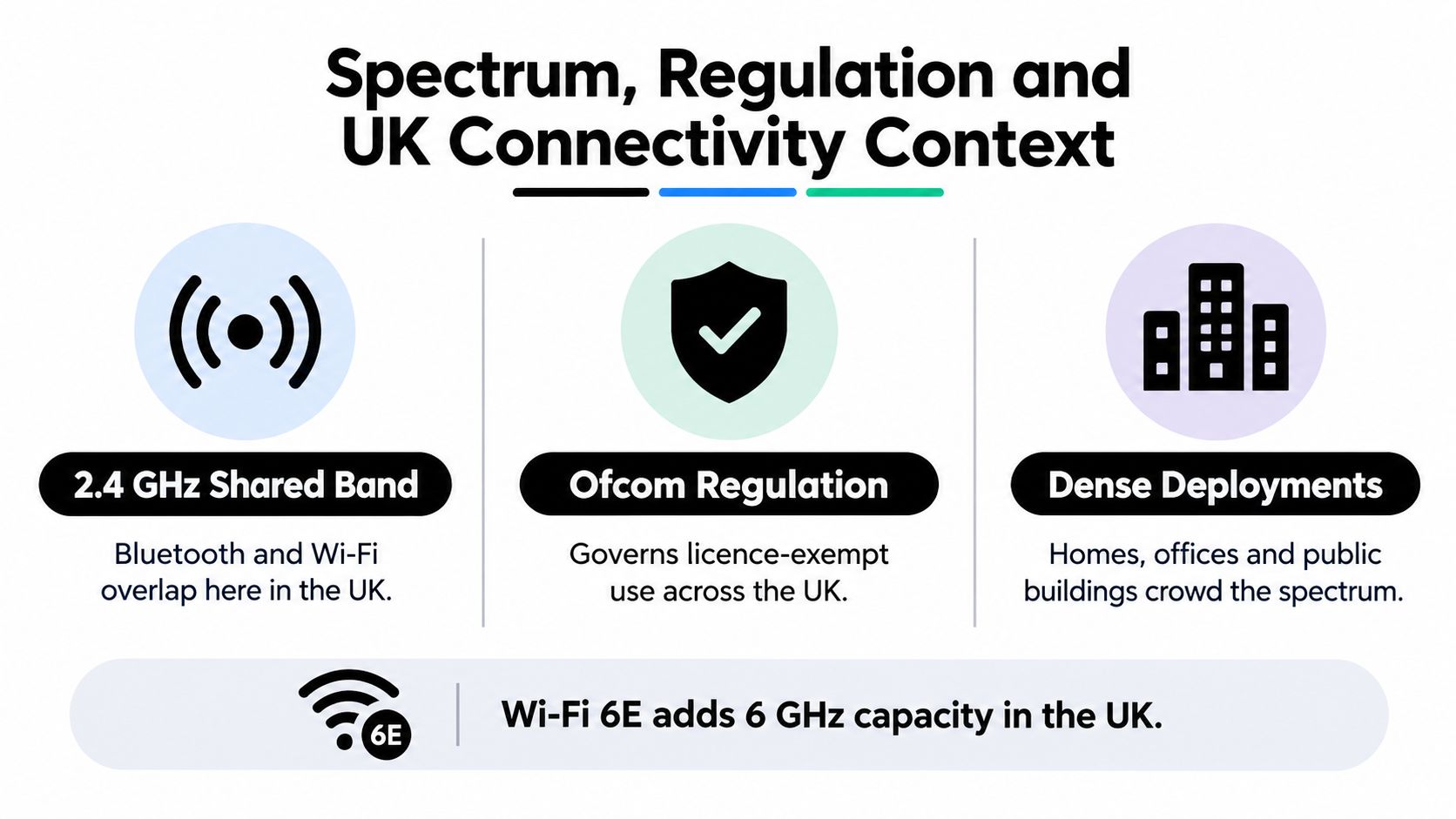
Bluetooth and Wi-Fi are generally used as licence-exempt, low-power technologies. This arrangement allows homes, businesses, hospitals, and public buildings to deploy compatible equipment without obtaining an individual licence for every mouse, sensor, phone, laptop, or access point. It doesn't mean the spectrum is empty. Many devices share the same radio space, and careful planning still matters.
A UK Parliament briefing cited in the Ofcom material said that low-power licence-exempt devices account for over 6 per cent of UK radio spectrum. The figure shows the scale of everyday wireless activity, but it shouldn't be read as a guarantee of capacity at a particular site.
Why Wi-Fi became the default network connection
The Ofcom consultation cited market data showing that 72 per cent of UK households used broadband, and 89 per cent of those households connected through Wi-Fi. That equates to about 64 per cent of all households using Wi-Fi for home internet access at that time, based on the figures in the same source.
This pattern reflects Wi-Fi's role as the normal bridge between people and broadband services. Phones, laptops, televisions, tablets, smart-home equipment, and work devices can all use a shared network rather than maintaining separate direct links to one another.
Bluetooth occupies a different place in that space. It is more often the quiet connection between a phone and a wearable, a computer and an input device, or a nearby reader and a tag. It usually complements the network rather than replacing it.
Wi-Fi's spectrum options also vary by generation. NHS guidance places Bluetooth in the 2.402 to 2.48 GHz range, while it lists Wi-Fi 4 across 2.4 and 5 GHz, Wi-Fi 6E with added 6 GHz capacity, and Wi-Fi 7 across 2.4, 5 and 6 GHz. The relevant choice for a UK deployment depends on equipment compatibility, building layout, capacity needs, and the way users move through the site.
Regulation is also relevant to software architecture. A device may collect data through Bluetooth, pass it to a phone or gateway, and then send it through Wi-Fi to an application. Teams planning that flow can use this guide to understand web application architecture, particularly where device data, APIs, authentication, and cloud services must work together.
When To Choose Bluetooth or Wi-Fi in Practice
A product manager is more likely to make the right choice by describing the user journey than by starting with a specification sheet.
Suppose a company is building a mobile app for a connected inspection tool. The operator arrives at equipment, opens the app, and pairs the phone with the tool. Bluetooth is a sensible fit for that short, direct exchange, especially if the tool runs on a battery and sends small readings or control messages.
The same product might use Wi-Fi after the phone receives the data. The app can upload inspection results to a central service, synchronise records, and make them available to supervisors. In that design, Bluetooth handles local device access, while Wi-Fi or mobile connectivity handles wider service access.
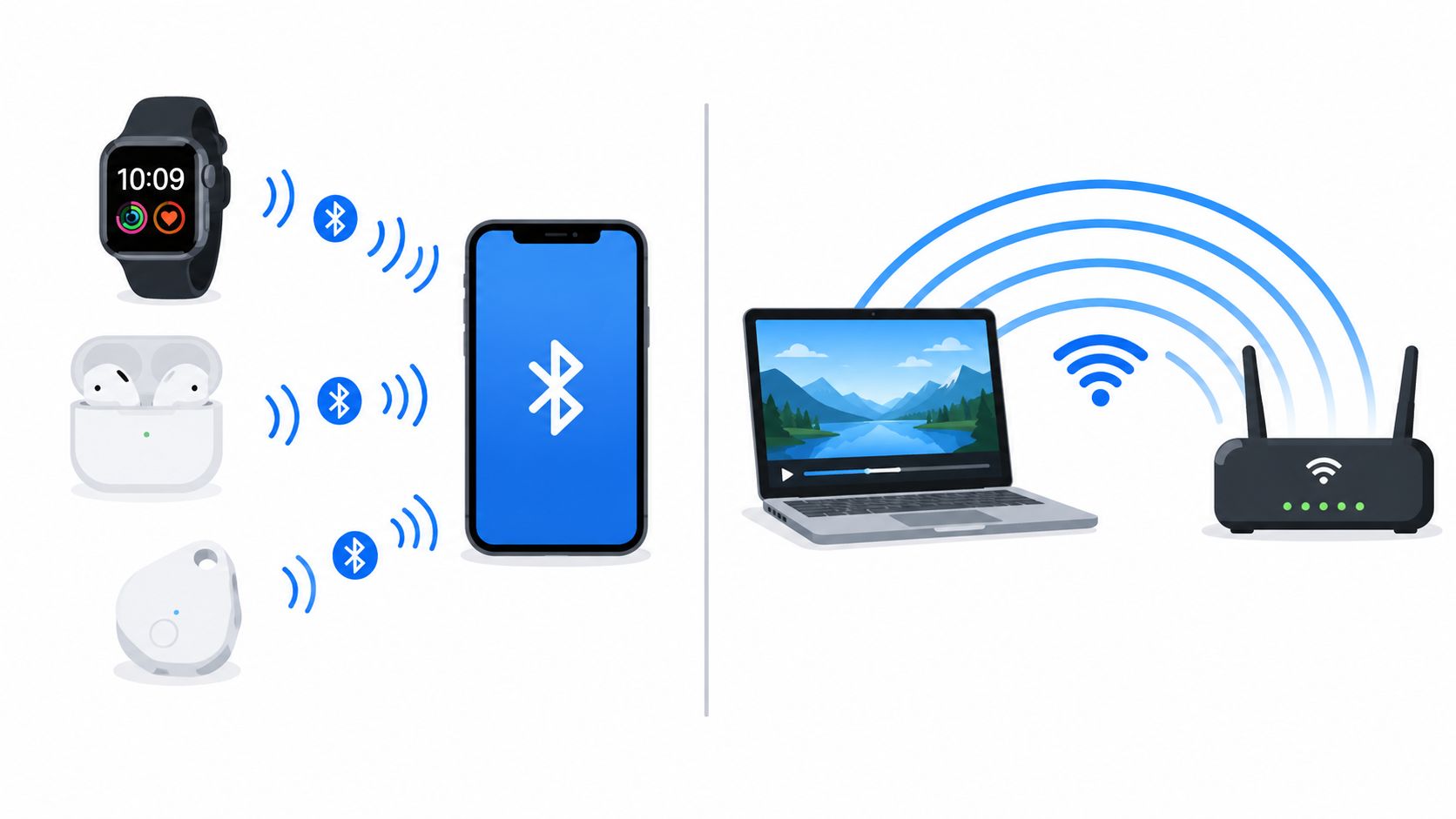
Good Bluetooth candidates
Bluetooth is usually the better starting point when the device has a small, local job:
- Wearables and personal devices: A fitness wearable, headset, keyboard, mouse, or handheld controller can exchange information with a nearby phone or computer.
- Asset tags and beacons: A low-power tag can identify nearby equipment or support location-aware interactions without acting as a general internet device.
- Configuration and onboarding: A phone can use Bluetooth to configure a device before the device joins another network or operates locally.
- Battery-sensitive sensors: Sensors that send small readings periodically can avoid the overhead of a continuously active high-throughput connection.
The user experience matters. Bluetooth pairing, permissions, reconnection behaviour, and operating-system restrictions can affect whether a technically sound product feels dependable. Build those details into the MVP rather than leaving them to the end of development.
Stronger Wi-Fi candidates
Wi-Fi is generally more appropriate when the product needs network participation:
- Office and home applications: Laptops, tablets, printers, displays, and collaboration tools need access to shared services and the internet.
- Cloud-connected equipment: A device that must send regular updates to a dashboard or receive substantial software packages may benefit from direct network access.
- High-resolution media: Wi-Fi is usually better suited to sustained audio, video, and interactive content where capacity and stability matter.
- Multi-device operations: A warehouse, clinic, or workplace may need many devices to access the same network services rather than forming isolated device pairs.
A hybrid design often produces the best result. Bluetooth can reduce setup friction and support local interactions, while Wi-Fi provides the route to shared systems. That division also lets a team design graceful failure states. A technician might still read a local device through Bluetooth when the wider network is unavailable, with synchronisation taking place later.
The right choice depends on what the device must do, where it will operate, how much data it exchanges, and who will maintain the surrounding infrastructure. Don't select a radio technology in isolation from the product workflow.
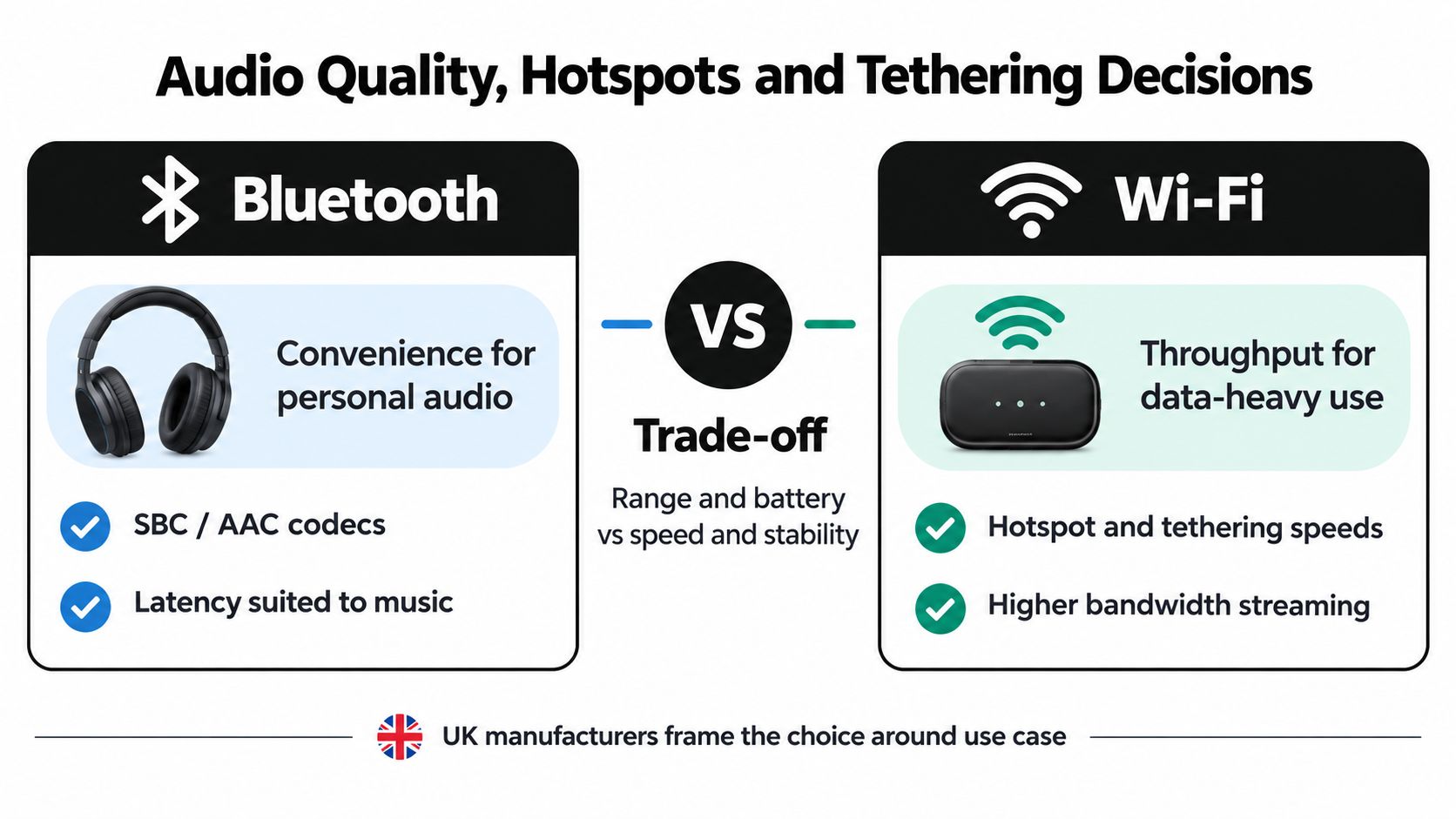
Audio Quality, Hotspots and Tethering Decisions
Audio and tethering create some of the most common confusion because both Bluetooth and Wi-Fi can appear to perform the same job. The better option depends on whether you prioritise portability and low power, or capacity, range, and support for several devices.
For mobile internet sharing, Sony's UK guidance on hotspot connections states that Wi-Fi hotspot sharing generally provides higher internet speed than Bluetooth sharing, while Bluetooth uses less battery. That gives the decision a clear operational shape. Bluetooth can be useful for a simple, power-conscious connection, while Wi-Fi is normally the stronger choice when a laptop or another device needs more responsive internet access.
Personal audio favours convenience
Bluetooth remains a practical choice for headphones, earbuds, portable speakers, and other personal audio equipment. It avoids a local router, works directly between compatible devices, and supports the everyday use case of carrying a phone from room to room or taking headphones outside.
The trade-off is that Bluetooth audio commonly uses compression and has a shorter practical range than a network-based approach. For casual listening, that convenience may matter more than maximum fidelity. For live monitoring, interactive performance, or demanding high-resolution playback, latency and available capacity deserve closer attention.
Wi-Fi audio can support higher-resolution streams and may be less vulnerable to dropout and lag in a suitable network. It can also support a broader multi-room or multi-device arrangement, although it depends on good network coverage and a properly configured local environment.
A simple decision test
Ask three questions before choosing:
- Is the connection personal and portable? Bluetooth is often the natural fit for one phone and one headset or speaker.
- Does the setup need several listeners or networked rooms? Wi-Fi may provide the stronger foundation for shared and higher-capacity audio.
- Is battery life more important than speed? Bluetooth usually has the advantage for a low-power direct link, while Wi-Fi gives greater capacity at a higher energy cost.
The same logic applies to tethering. Use Bluetooth when the data need is modest and conserving the phone's battery matters. Use Wi-Fi when a laptop, tablet, or several devices need a faster and more capable shared connection.
Teams building connected products should document this choice as part of the user journey. A solution that works well for AI in healthcare and telemedicine may combine local device links with network services, and the wireless decision can influence patient workflows, monitoring, support, and data continuity.
Choosing the Right Wireless Approach for Your Project
Founders and operations teams should choose based on the product's constraints, not on the most impressive number in a technology comparison.
Start with the device relationship. If two nearby devices need to exchange small amounts of information, Bluetooth is usually the better fit. It suits battery-powered hardware, accessories, wearable products, sensors, beacons, and onboarding flows where direct pairing keeps the experience simple.
Then examine the service relationship. If the product needs cloud access, shared office connectivity, sustained media, regular synchronisation, or support for several users, Wi-Fi is normally the stronger foundation. It offers the capacity and network model those services require, although the deployment still needs access-point planning, security controls, testing, and operational support.
A practical selection framework
Use these questions during discovery:
- What must connect? A personal accessory and a nearby phone point towards Bluetooth. A group of devices and a shared application point towards Wi-Fi.
- How much data moves? Small readings and commands suit Bluetooth. Continuous or data-heavy workloads favour Wi-Fi.
- Where does the power come from? Battery-operated products should treat energy use as a core design constraint.
- What happens when the network disappears? Decide whether local Bluetooth operation should continue and whether the product can synchronise later.
- Who maintains the environment? Wi-Fi rollouts need network ownership and site testing. Bluetooth products need reliable pairing, permissions, and recovery behaviour.
Many successful products use both. Bluetooth handles the immediate device interaction, while Wi-Fi carries information into the broader application environment. That hybrid model can reduce hardware complexity, improve onboarding, and give users a more resilient experience when one part of the connection is unavailable.
Before committing to a radio design, create a working prototype in the actual building and with the actual battery, device casing, operating systems, and network conditions. Teams planning an MVP can also review guidance on how to make a web application so the device connection, API layer, user interface, and operational workflow are designed as one product rather than separate features.
Bluetooth is not a slower replacement for Wi-Fi, and Wi-Fi is not a universal upgrade from Bluetooth. Bluetooth solves nearby, low-power connection problems. Wi-Fi solves broader, higher-capacity networking problems. Select the one that matches the job, and use both when the product genuinely needs both.
Digital Souls Studios LTD designs and builds web applications, SaaS products, AI automation, and connected interactive experiences, including the software layers that turn device data into useful workflows. Visit Digital Souls Studios LTD to discuss your MVP, connectivity architecture, or product build with a UK software studio.