3rd October 2026 · 16 min
How to Make Web Application in 2026: A Practical Guide
In the UK, 78% of businesses said they had a website in 2025 to 2026, up from 68% in 2023 to 2024, so making a web application is no longer just coding, it's a structured delivery process with product scoping, iterative releases, and ongoing maintenance ownership. If you're trying to ship something real, the work starts with defining the problem, not choosing a framework.
A lot of founders and SMEs get stuck at the same point. They have a strong idea, a deadline, and maybe one developer, but no clear plan for what the first version should do, who will maintain it, or how the app will survive once people start using it.
Table of Contents
- Why Most Web Apps Start on the Wrong Foot
- Planning Your Web Application Before You Build It
- Choosing the Right Tech Stack and Tools
- Building Your Web Application Step by Step
- Deploying and Launching Your Application
- Common Pitfalls and How to Avoid Them
- Your Next Steps to Launch
Why Most Web Apps Start on the Wrong Foot
A founder calls with a simple brief. They want a dashboard, sign-up flow, payments, admin controls, and maybe a mobile-friendly interface before the first customer ever sees the thing. The request sounds normal until the scope turns into a moving target and the build starts absorbing every new idea that comes up in meetings.
That's where most web app projects go wrong. Teams begin with features instead of outcomes, then wonder why the prototype keeps growing into a half-finished product nobody wants to launch.
Start with the problem, not the wish list
The best apps usually begin with one narrow job they must do well. That can mean helping a team manage bookings, letting users upload documents, or replacing a spreadsheet that's getting out of hand. If the problem isn't sharp, the product becomes a bundle of features with no obvious reason to exist.
Practical rule: if you can't describe the app in one sentence, the scope isn't ready yet.
That sounds basic, but it's the point where many teams skip ahead. In practice, a production-ready app has to satisfy users, owners, and whoever is responsible when something breaks, which is why the market now treats websites as a baseline business asset rather than a side project, as the UK Business Data Survey 2026 shows UK Business Data Survey 2026.
The other early mistake is treating the first release like the final one. A web application that ships well usually starts smaller, because launch is only the beginning of support, feedback, and improvement.
Why scope boundaries save the project
Scope boundaries aren't bureaucracy, they're protection. When you define what's out of scope, you stop the team from building features that look exciting but don't help the business move. That keeps the project focused on a usable first release instead of an endless draft.
A good starting point is a short list of user tasks, a clear owner for each decision, and a hard line on what the app must do on day one. Everything else can wait until the product proves itself.
That's especially important in the UK, where web delivery is often hybrid rather than purely in-house or fully outsourced. The survey shows 29% of businesses use a mixture of in-house and external support, 27% manage their website entirely in-house, 24% rely entirely on an external web developer or platform, and 17% use an in-house team with a platform provider UK Business Data Survey 2026. That mix means the project plan has to survive hand-offs, not just a developer's solo sprint.
Planning Your Web Application Before You Build It
Planning is where a web app becomes a product instead of a pile of tickets. The cleanest builds usually begin with user journeys, business goals, and one MVP that's small enough to ship but strong enough to test demand.
Discovery before design
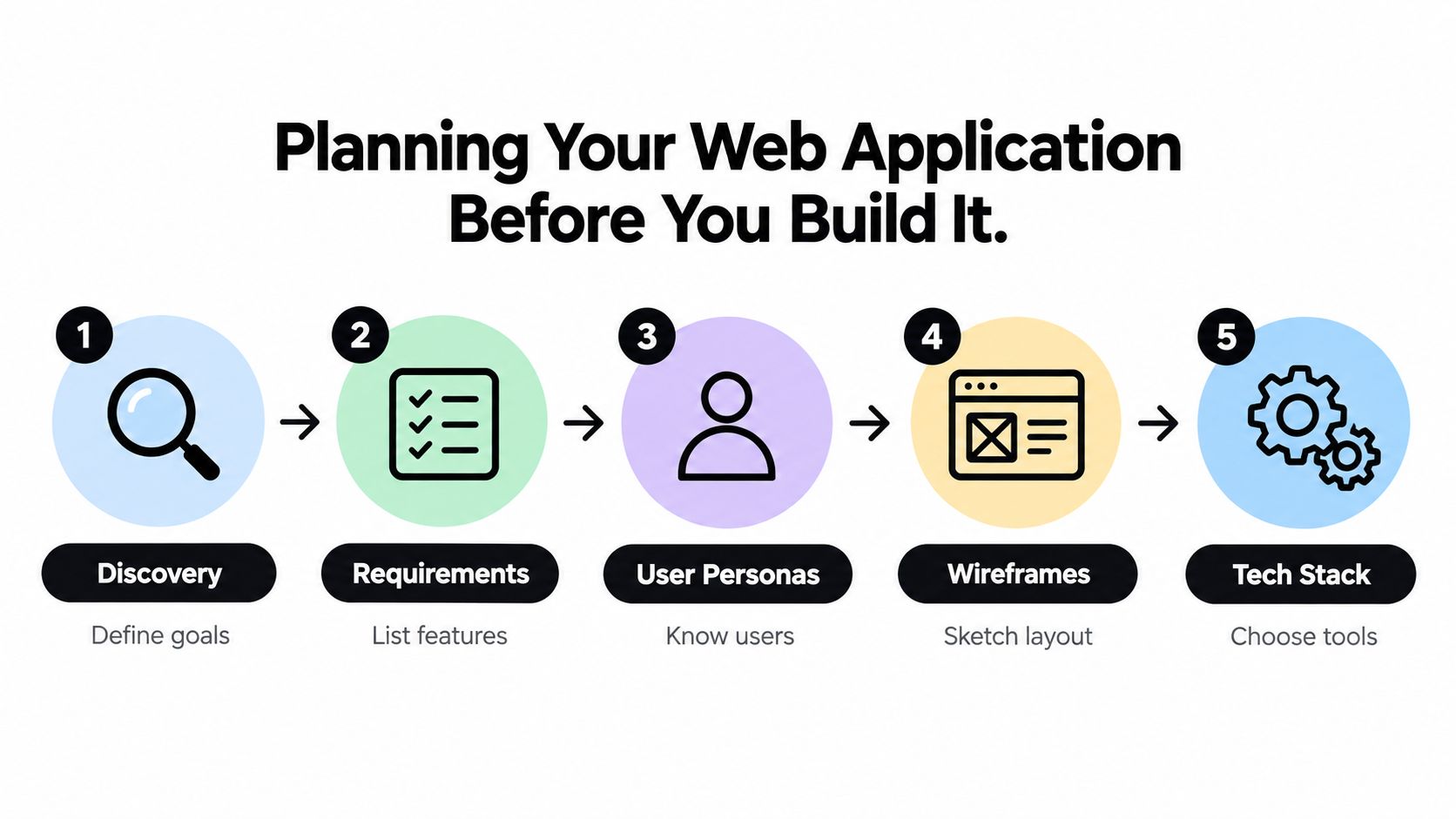
Start by writing down the business problem in plain language. Then list the people who will use the app, the actions they need to take, and the outcome that counts as success. If the app is for internal staff, the success metric might be fewer manual steps. If it's customer-facing, the metric might be faster sign-up or easier self-service.
From there, separate core features from nice-to-haves. Core features are the ones the app can't function without. Nice-to-haves can be saved for a later release, which matters because most first versions fail when teams confuse ambition with priority.
A simple scoping document usually covers:
- User groups and what each one needs
- Primary journeys from login to task completion
- Data inputs and outputs the system must handle
- Admin needs for support, edits, and oversight
- Release boundaries so the MVP stays realistic
That document doesn't need to be pretty. It needs to stop arguments before they become code.
Wireframes and success criteria
Wireframes are where vague ideas become visible. They don't need colour or polish at this stage, just enough structure to show hierarchy, navigation, and the flow between screens. Teams that skip wireframes often build screens that look fine individually but don't work as a system.
A wireframe should answer one question, what happens next?
That question matters more than visual styling at the beginning. Once the flow is clear, it's easier to decide what needs authentication, what needs validation, and what can stay simple in the first release.
If you're deciding whether to use a specialist agency, a product team, or an in-house build, a clean architecture discussion helps. A useful reference point is this guide to web application architecture, because your planning decisions should match the shape of the system, not just the taste of the developer.
The most useful planning habit is to define success before design starts. That could be completion of one user journey, fewer support emails, or a working admin panel. Without that target, every extra feature feels justified.
Choosing the Right Tech Stack and Tools
The wrong stack can slow a project down before the first release. The right one fits the team's skill set, the product's complexity, and the amount of maintenance you're prepared to own.
For smaller teams, the choice often comes down to whether you want one language across the stack or a split between frontend and backend specialists. For more complex systems, the deciding factor is usually operational discipline, not trendiness.
| Technology | Best For | Learning Curve | Cost |
|---|---|---|---|
| React | Flexible interfaces and component-heavy apps | Moderate | Medium |
| Vue | Fast-moving teams that want a lighter frontend layer | Moderate | Medium |
| Next.js | Apps that need frontend speed plus server-side rendering | Moderate to high | Medium |
| Node.js | JavaScript teams building APIs and full-stack products | Moderate | Low to medium |
| Python | Data-heavy apps, automation, and back-office tools | Moderate | Low to medium |
| Vercel | Frontend-first deployments and quick iterations | Low | Low to medium |
| Netlify | Simple hosting for content-led or lighter apps | Low | Low |
| AWS | Teams needing broad infrastructure control | High | Variable |
Match the stack to the delivery model
If the team already knows JavaScript, a full-stack JavaScript approach can reduce context switching. If the product leans on data workflows, automation, or internal tools, Python can be a better fit. Neither choice is automatically better, they solve different problems.
Managed platforms are attractive because they remove a lot of setup overhead. That helps when you need to get to a usable version quickly, but it can also hide complexity that shows up later if the app grows faster than expected. Traditional VPS hosting gives more control, but it also gives you more to maintain.
The same trade-off applies to databases. Managed services are easier to run, while self-managed setups give more control over configuration and cost. Most early-stage teams should choose the option they can operate reliably, not the one that sounds more technical in a pitch deck.
The team matters as much as the technology
A stack should fit the people who'll support it after launch. If one engineer can build quickly in a familiar stack, that may be better than adopting a fashionable tool nobody can debug at 2 a.m.
The cheapest stack is the one your team can maintain without heroics.
That's not just theory. UK hiring data shows web application development remains a specialised skill, with 35 permanent jobs in England citing it in the six months to 27 Sep 2026 and a median salary of £57,500 IT Jobs Watch. In practical terms, the scarce value is in delivery discipline and maintainability, not in chasing the newest syntax.
For teams wanting an end-to-end build partner, options include in-house development, freelancers, or a studio that handles specification through launch. Digital Souls Studios LTD is one of those options, with web development, SaaS delivery, design, and post-launch support under one roof.
Building Your Web Application Step by Step
A production app becomes easier to manage when each layer has a clear job and can be tested before the next one is added. That discipline matters in UK delivery teams, where an in-house product owner may work with a freelance specialist or external studio. Clear ownership prevents handoffs from becoming hidden delays.
Build the foundation first
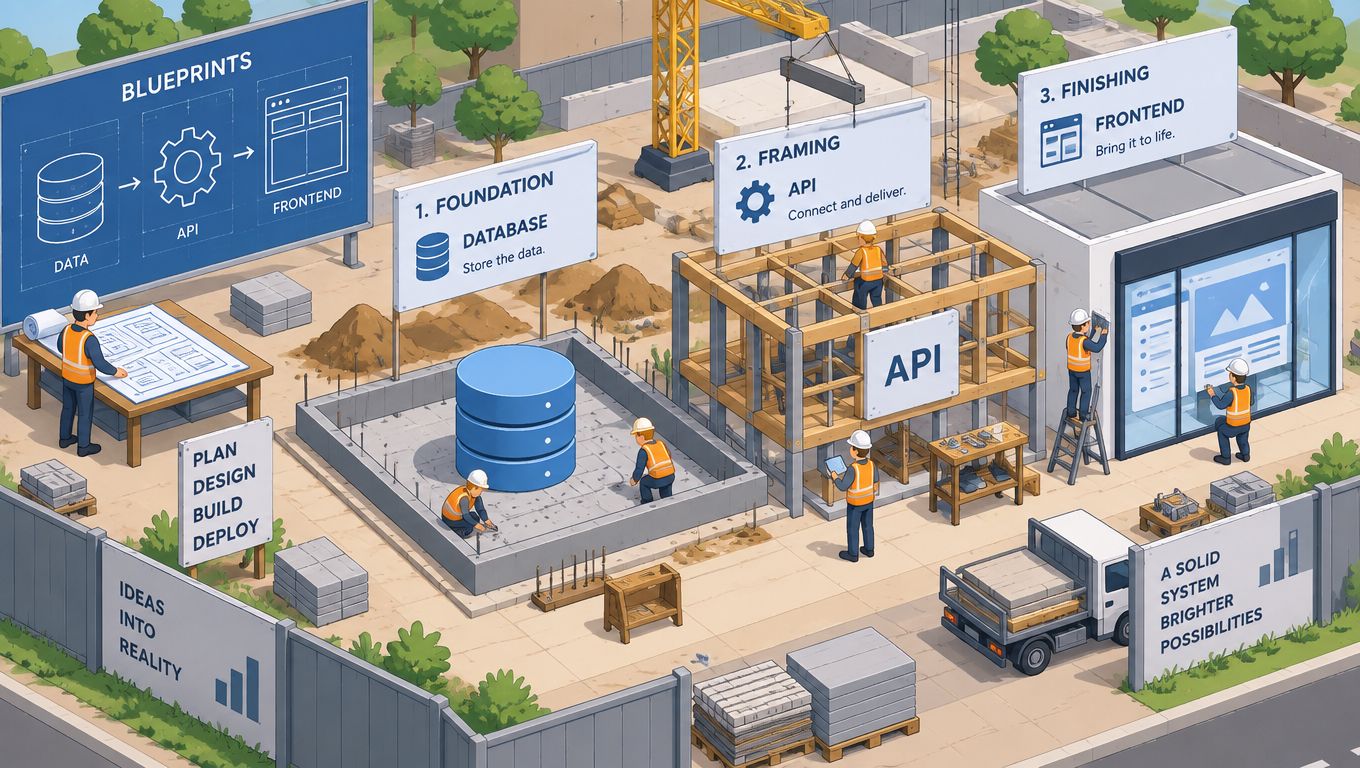
Start with version control, environment setup, and a clean project structure. This prevents file sprawl from making later changes risky. The codebase should show where components, services, database access, and tests belong.
Define the data model before the interface moves too far ahead. The schema forces decisions about what the app stores, who owns each record, and how records relate. If those answers are unclear, the frontend will expose the confusion later.
Build the API or server layer between the interface and the data. Keep its contract explicit. Each form should define what it sends, which errors it can receive, and what happens when validation fails.
Deliver one working slice at a time
Complete one user journey from frontend to backend to database before starting the next feature. Test that journey as a whole. It may feel slower initially, but it exposes design problems while they are still inexpensive to fix.
Authentication and authorisation belong in the first serious slice. If the app stores personal data or uses role-based access, adding security later usually means reworking routes, data access, and interface states. Form validation deserves the same treatment. Rejecting bad input early is easier than cleaning up corrupted records.
Common production patterns include:
- Reusable components for forms, modals, and navigation
- Service layers that keep business logic out of page files
- Validation rules on both client and server
- Role checks around sensitive actions
- Feature flags or staged releases for risky changes
These patterns give a hybrid team a shared structure to work within, even when different people own design, development, testing, and product decisions. A practical example is the EveryTalk.ai build case study, which documents a slice-by-slice delivery approach.
A useful reference for API-heavy work is the Node.js and Express approach in Postman Blog. Its focus on structured endpoints and testable requests supports a straightforward rule: define the contract before expanding the interface.
Integration is where slice delivery pays off. A form that passes in isolation can fail on a real 200-record import or an older Safari build. Finding that inside one tested slice costs an afternoon rather than a release cycle.
Deploying and Launching Your Application
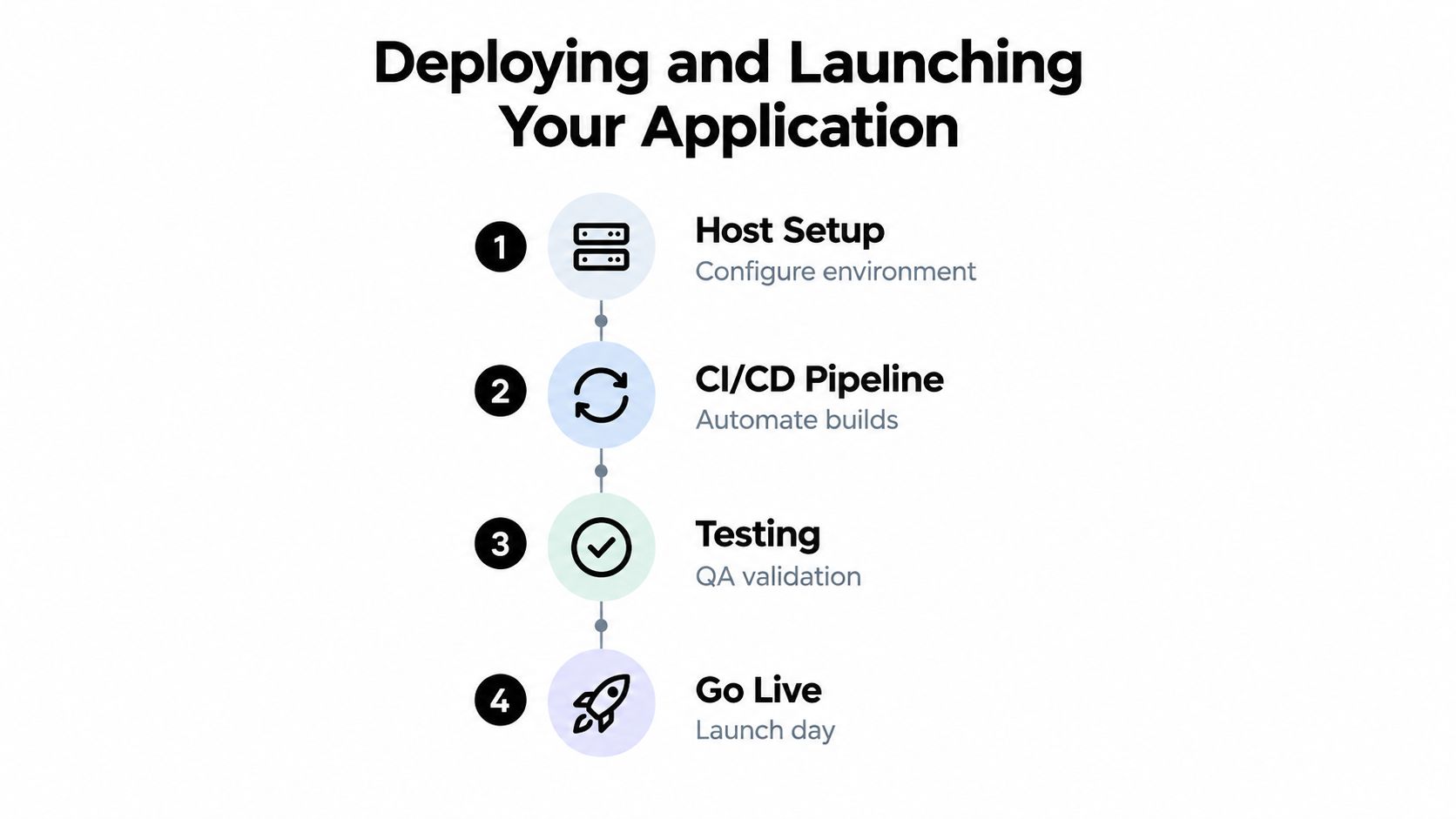
Deployment turns a private project into a public system. Before users arrive, the team needs a stable host, repeatable release steps, visible logs, and a clear owner for launch decisions. UK businesses often rely on hybrid teams, combining internal product knowledge with an agency or freelance developers. That arrangement can work well, but only when deployment responsibilities are documented rather than assumed.
Deploy with a repeatable process
Use a CI/CD pipeline where the project justifies it. Manual deployment may suit an early experiment, but it becomes risky when several developers, contractors, or client-side stakeholders contribute code. A pipeline creates the same path from commit to production each time, with checks that reduce avoidable release mistakes.
Delivery method matters too. A small team may ship in short slices, while a larger business may need approval gates, scheduled releases, and a separate operations owner. Neither approach is automatically better. The right choice depends on the app's risk, the team's hiring capacity, and how quickly the business needs feedback.
Hosting depends on the infrastructure control required. Platform-based deployments are quicker to configure and easier for a mixed-skill team to operate. VPS hosting provides more control over server behaviour, but the team also takes responsibility for patching, access management, backups, and recovery.
Before launch, verify configuration values, database migrations, permissions, and log visibility. If the app handles accounts or payments, test failed payments, expired sessions, rejected inputs, and unavailable third-party services. Those paths reveal whether the system can recover without manual intervention.
Launch in stages, not all at once
A soft launch limits exposure. Release to a small group, watch real usage, and fix problems before wider traffic arrives. This approach is useful when the app supports internal operations, customer service, or revenue-generating work. A staged rollout is documented in the Scheduler.social case study, where the product reached beta through controlled delivery.
Launch day is not the finish line. It is the first day the app has to earn trust in public.
After go-live, monitoring and backups become part of the product. Track application health, error trends, failed jobs, and the effect of recent releases. Assign someone to review those signals, especially when developers and business stakeholders work across different organisations.
That operational discipline affects commercial performance. UK non-financial businesses made £459.2 billion in total website sales in 2021, up £102.8 billion from 2019, and 96.9% of export website sales went through businesses' own websites or apps ONS digital economy survey 2021. If the application sells, supports, or processes work, unreliable deployment can disrupt revenue and customer service.
Every release also needs a rollback path. Decide how to restore the previous version, database state, or key configuration before an incident occurs. That preparation separates a prototype launch from a product the business can operate with confidence.
Common Pitfalls and How to Avoid Them
Most broken web apps don't fail because one line of code was bad. They fail because the project made a string of small compromises, then asked production to absorb the result.
The technical mistakes that hurt later
Poor database design creates painful workarounds. Once relationships are wrong, every report, filter, and admin action becomes harder than it should be. The fix is to design around actual data flow, not guessed future features.
Skipping tests is another expensive habit. Bugs that seem minor in development become support issues after launch, and every support issue drains time from shipping. Automated checks don't remove all problems, but they reduce the number that make it into production.
Security gets ignored when teams think the app is too small to be targeted. That's a dangerous assumption. If the app handles user data, logins, or file uploads, security has to be part of the build from the start.
The human mistakes that stall delivery
Scope drift usually starts with good intentions. Someone asks for “just one more” feature, then the release date moves, then the app misses its window. A disciplined backlog and a visible change process are usually enough to stop that cycle.
Communication is the other silent failure point. If developers, designers, and stakeholders are not aligned on what “done” means, the team will keep revisiting the same decisions. Clear ownership prevents that.
If one person can't explain the release in plain English, the project is too vague.
UK hiring and skills data make this even more relevant. The IET's 2025 survey found 57% of English engineering employers struggle to recruit digital skills, with automation at 38% and software engineering at 33% among the top growth needs, while Skills England projects 69,000 additional programmers and software development professionals will be needed in digital and technologies from 2025 to 2035 IET skills stats 2025. In practice, that means teams need to design for the people they can hire and retain, not an idealised resourcing model.
When specialist talent is thin, the safer move is to reduce complexity. One clear release, one owned codebase, and one maintainable support process will beat a flashy architecture nobody can operate.
Your Next Steps to Launch
Start with a short brief that names the problem, the users, and the one result that matters most. Then define the MVP, map the first user journey, and decide who will own the app after launch. If that last part is unclear, the project isn't ready to build yet.
Validate the idea with real users before spending heavily on engineering. A few honest conversations can save weeks of overbuilding. Once the scope is stable, choose the stack the team can support, not the stack that looks clever in a demo.
A practical checklist looks like this:
- Write the problem statement in one sentence.
- Define the MVP with hard scope limits.
- Sketch the main journey before implementation.
- Pick the stack based on maintainability and available skills.
- Plan deployment and support before the first release.
If you need a partner, look for a team that can handle specification, design, build, deployment, and maintenance together. If you're building in-house, keep the process lean and repeatable so the app can survive when the first version becomes the actual one.
Digital Souls Studios LTD builds web applications, SaaS products, and AI-enabled tools from specification through launch, with design, engineering, infrastructure, and post-launch support under one roof. If you're planning a production-ready web app and want a delivery team that understands both the technical build and the operational reality, visit Digital Souls Studios LTD to see how they work.