10th November 2026 · 19 min
Technical SEO Checklist: 10 Audits to Run in 2026

Your redesigned site goes live on Monday. The pages look right, the forms work, and the team moves on to the next sprint. Then organic visits start falling. Weeks later, someone inspects a landing page and finds the staging environment's noindex directive still present in production.
That's a realistic failure scenario, not a prediction of how much traffic you'll lose. The important point is that a successful deployment and a search-ready website aren't the same thing. A browser can display a page perfectly while its HTTP headers tell search engines not to index it.
Technical SEO failures often leave no obvious visual warning. Developers can accidentally block rendering resources, marketers can publish disconnected landing pages, and migration rules can send valuable old URLs to irrelevant destinations. None of those problems necessarily breaks the homepage.
A repeatable technical SEO checklist turns those risks into tests someone owns. Each audit below includes a priority, a pass/fail condition, a practical example, and a monitoring habit.
For a launch, migration or redesign, don't work through the list mechanically. Check crawl access, indexability, HTTP responses and redirect mappings first. Then verify mobile rendering, security and navigation before spending time polishing performance and search enhancements.
Launch rule: A page looking correct in your browser isn't evidence that a search engine can crawl, render or index it.
Table of Contents
- 1. Crawlability and Robots.txt Configuration
- 2. XML Sitemap Validation
- 3. Indexability, Canonicalization, and Duplicate Content Management
- 4. HTTP Status Codes and Broken Links
- 5. Redirect Chains, Loops, and Redirect Mapping
- 6. HTTPS, Security Headers, and Mixed Content
- 7. Core Web Vitals Performance (LCP, INP, CLS)
- 8. Mobile Usability and Responsive Rendering
- 9. Structured Data and Schema Markup Validation
- 10. Site Architecture, Internal Linking, and Crawl Depth
- How the ten technical SEO checks compare by tooling, main benefit and main risk
- Turning One Audit Into a Standing Monitoring Routine
1. Crawlability and Robots.txt Configuration
Priority: Immediate launch check. Start with the production robots.txt file, not the version in your repository. Deployment scripts, CDN rules and environment variables can change what crawlers receive.
Fetch the file from the site root and inspect its response and contents. Use a crawler such as Screaming Frog or Sitebulb to test representative landing pages and rendering assets against its rules, including any separate Googlebot and Bingbot groups.
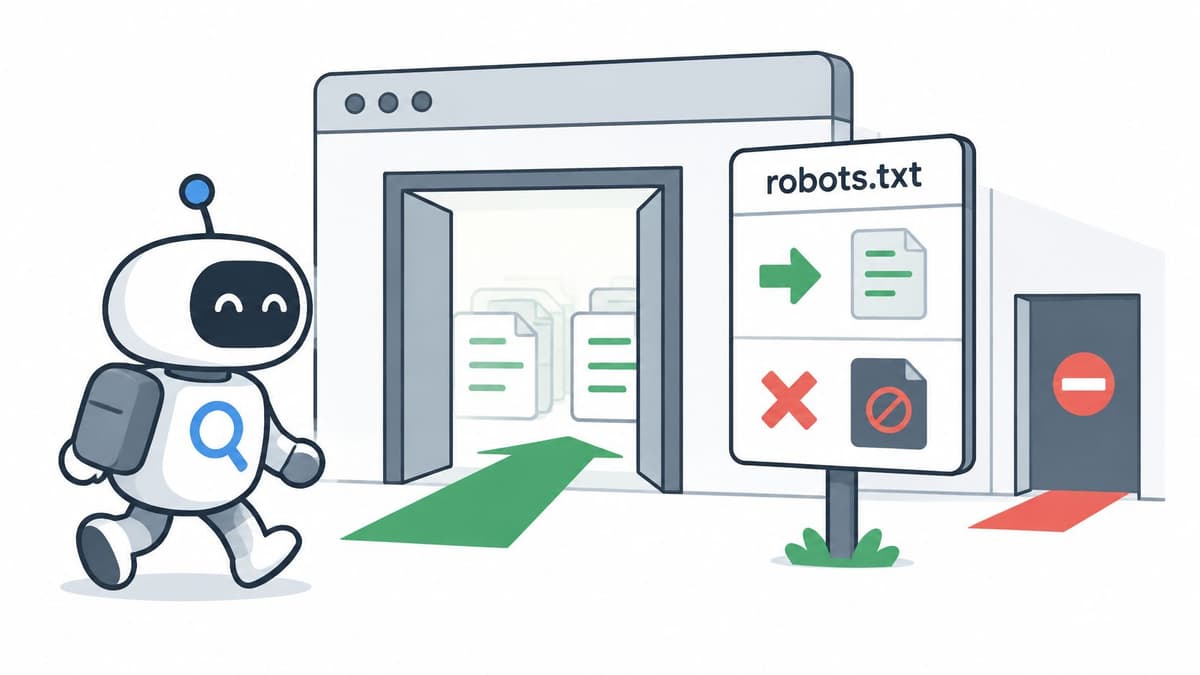
The access decision is simple, but its consequences extend beyond the document itself.
Pass the access test
- Pass: Your published file is reachable, its rules allow important pages and required CSS and JavaScript, and its sitemap reference resolves.
- Fail: A staging
Disallow: /rule blocks production, or a blocked asset directory prevents useful rendering. - Monitor: Keep robots.txt in version control and compare the live response after deployment and infrastructure changes.
Say a SaaS application serves its landing-page components from /static/. Blocking that directory may leave a crawler with an incomplete page even though the landing-page URL itself is allowed.
Robots.txt controls crawling, not reliable removal from search results. Keep pages crawlable when search engines need to read a noindex directive, and protect confidential content with authentication rather than crawler instructions.
For teams separating these concepts for the first time, understanding how search engine optimisation works makes the distinction between access, indexing and ranking much easier to manage.
2. XML Sitemap Validation
A sitemap generated successfully by your CMS can still be full of URLs you don't want indexed. Priority: Check immediately after confirming crawl access, especially when a migration changes slugs or introduces new page types.
Start by fetching the sitemap and validating its XML. Crawl the listed URLs, then compare their status, canonical destination, robots directives and internal links against your intended inventory.
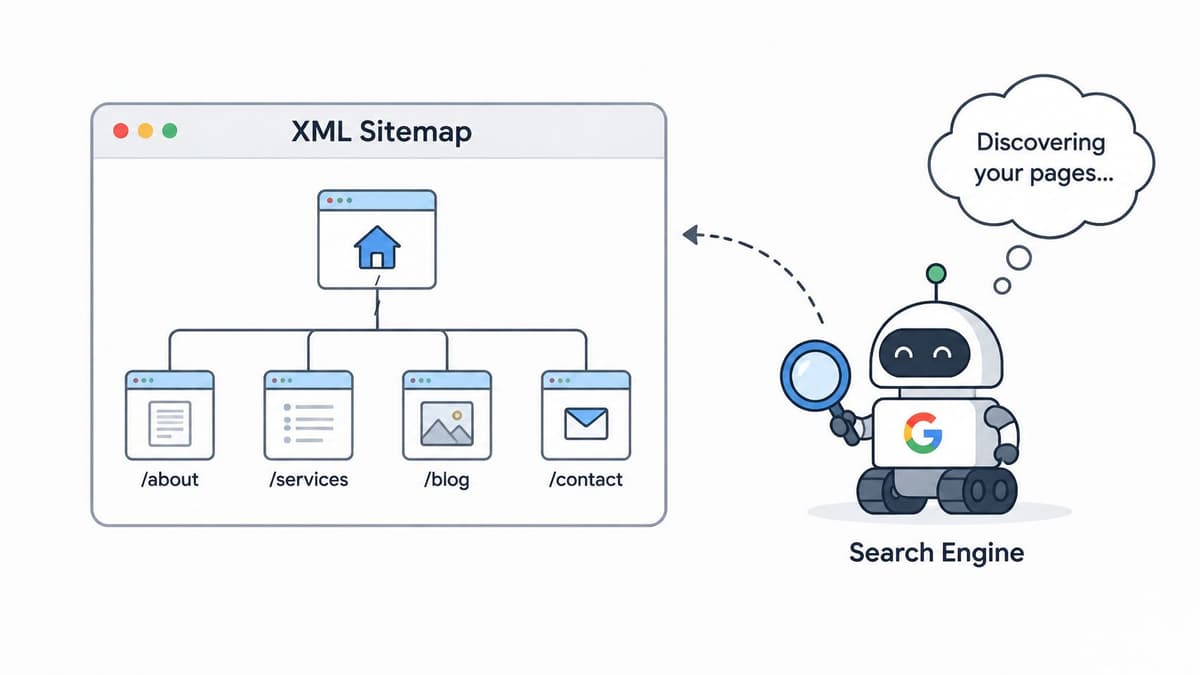
A sitemap gives crawlers a discovery route, not an instruction to index everything inside it.
Test the URLs, not just the file
Pass when entries resolve successfully, represent preferred canonical pages and remain indexable. Fail when the file includes redirected addresses, removed products, preview pages or URLs carrying noindex.
For a marketplace, separate product and category sitemaps so you can diagnose discovery problems by page type. Generate them from publishing state, not every database record. An unpublished listing shouldn't become discoverable just because it exists in the database.
Google accounted for 92.31% of UK desktop-and-mobile search activity in September 2026, according to StatCounter's UK search-engine market-share report, making Search Console the practical starting point without removing the need for Bing Webmaster Tools.
Monitor sitemap processing in both platforms and investigate changes in submitted versus indexed URLs. Don't expect those totals to match automatically, and don't update lastmod because a build ran.
For JavaScript-heavy products, SEO for single-page applications needs particular attention: sitemap discovery won't fix routes that render empty content or return unsuitable server responses.
3. Indexability, Canonicalization, and Duplicate Content Management
Priority: Immediate launch blocker. A crawlable page can still tell search engines to exclude it, while an incorrect canonical can nominate an entirely different page as the preferred version.
Inspect representative URLs from every template. Compare the raw HTML, rendered HTML and HTTP headers, looking specifically for meta robots, X-Robots-Tag and rel="canonical".
Don't stop after finding a correct-looking canonical. Check that its destination exists, remains indexable and represents substantially equivalent content.
Separate eligibility from selection
- Indexability test: Intended landing pages have no accidental noindex directive in either headers or HTML.
- Canonical test: Duplicate variants identify the intended preferred URL, and internal links and sitemaps use that same version.
- Search-engine test: URL Inspection shows whether Google's selected canonical agrees with your intended choice.
Say an ecommerce category supports sorting and colour filters. A sort-order variant may reasonably canonicalise to the base category, but a useful colour-specific landing page could deserve its own indexable URL. Don't apply a blanket parameter policy before deciding which pages serve distinct search needs.
Pagination needs the same care. Canonicalising every paginated URL to the opening page can misrepresent pages containing different products. International variants also need consistent canonical and hreflang relationships rather than conflicting instructions.
Canonical tags are signals, not commands. Contradictory redirects, internal links and sitemap entries make your preferred version less convincing.
Monitor unexpected noindex changes through automated template tests and inspect canonical-selection changes in Search Console. Keep an explicit inventory of pages intended for search so exclusion reports can be assessed against business intent, not just totals.
4. HTTP Status Codes and Broken Links
Priority: Immediate after launch, then recurring. Test responses from the server rather than judging the page design. A polished error screen can still return a success response, and a working-looking application shell can conceal a failed route.
Run a crawl from the homepage and a separate list-mode crawl of sitemap entries, priority landing pages and legacy URLs. Export internal links pointing to errors so developers can fix the source links as well as the destination behaviour.
Decide whether each failure is intentional
Pass when live content returns a successful response, removed pages return an appropriate not-found or gone response, and internal navigation avoids broken destinations. Fail when important pages intermittently return server errors or missing content masquerades as a valid page.
Suppose a CMS migration changes article slugs but leaves related-content modules pointing to old paths. Fix the module's stored references rather than relying entirely on redirects. Users and crawlers should reach the current address directly.
- Fix internal failures first: Start with navigation, conversion paths, sitemap entries and canonical targets.
- Check application fallbacks: Request an invented route and confirm the server doesn't return a generic successful application shell.
- Separate load problems: Compare crawler findings with server logs, application exceptions and cache behaviour.
Monitor recurring crawls alongside server-error alerts. An overnight crawl may miss failures that appear only during campaign traffic or background processing.
Give each issue an affected template, example URL, expected response and responsible owner. A ticket saying “fix broken links” is harder to act on than a list showing exactly which component generates them.
5. Redirect Chains, Loops, and Redirect Mapping
A migration redirect can work technically and still be wrong commercially. Sending an old pricing page to a generic homepage avoids a broken destination, but it doesn't preserve the visitor's intent.
Priority: Validate before migration and immediately afterwards. Build the redirect map from existing URLs, search landing pages, linked assets and useful legacy routes. Match each old URL to its closest relevant replacement.
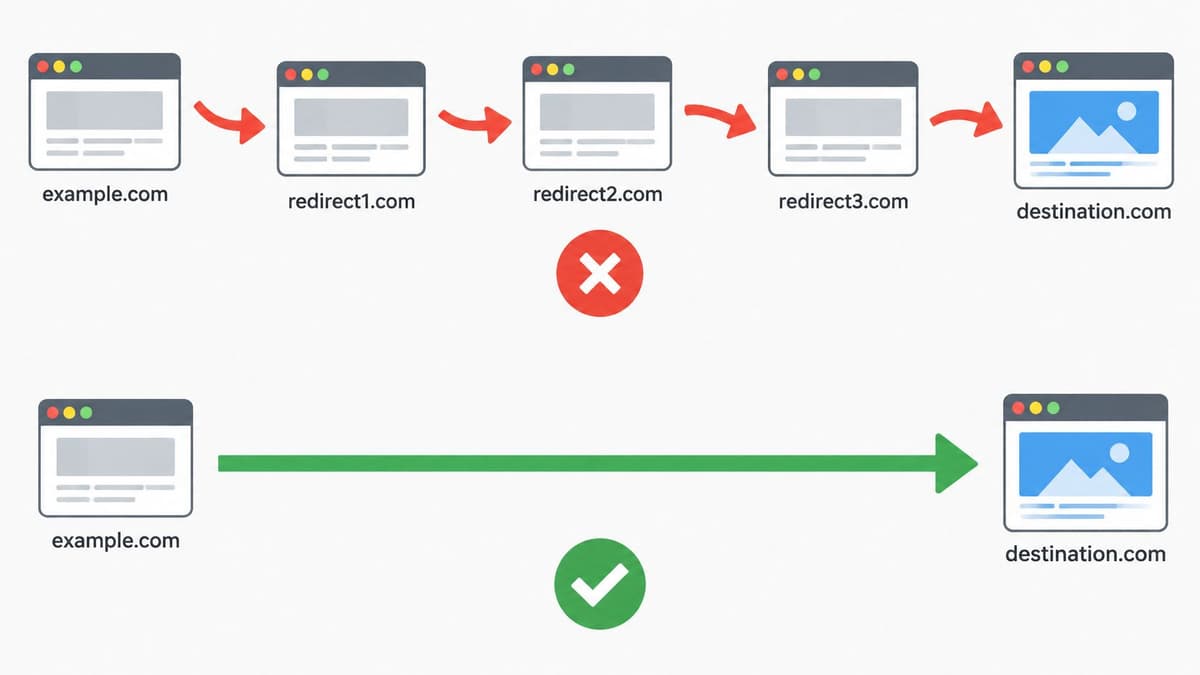
The implementation should minimise unnecessary intermediate requests.
Follow every redirect to its destination
Pass when permanent moves use permanent redirects, destinations match the original intent, and each route reaches the final indexable page directly. Fail when rules loop, bounce through obsolete hosts or finish on unrelated content.
For a SaaS rebrand, map old feature pages to their corresponding new feature pages. Test protocol, hostname and path normalisation together, because separately correct rules can create an unnecessary chain when combined.
Update internal links, canonicals and sitemap entries to the final URLs. Redirects are a compatibility layer for old addresses, not a substitute for maintaining current references.
Migration safeguard: Don't delete a useful redirect just because the launch is over. Check whether users, external links or crawlers still request its source URL.
Monitor legacy-route requests and rerun the saved redirect map after routing or CDN changes. Where content has disappeared without a relevant replacement, return an honest removal response rather than manufacturing a homepage redirect.
6. HTTPS, Security Headers, and Mixed Content
Priority: Release blocker when access or rendering fails. A valid certificate on the homepage doesn't prove that asset hosts, regional subdomains or application routes are secure.
Check certificate validity, hostname coverage and renewal configuration across the public estate. Then inspect representative pages in browser developer tools for insecure images, scripts, stylesheets and embedded resources.
Security headers deserve review, but don't treat them as a collection of guaranteed SEO ranking improvements. Their practical value is controlling browser behaviour and protecting reliable access.
Roll out protection without breaking the site
- Pass: Public pages load securely, insecure requests redirect to the preferred secure address, and required resources load without mixed-content failures.
- Fail: Certificate errors block access, an insecure script breaks rendering, or an enforced policy prevents essential application requests.
- Monitor: Use certificate-expiry alerts, renewal checks and security-policy reporting alongside deployment smoke tests.
Say a marketing site pulls images from a legacy asset host. Updating the page URL to HTTPS won't fix hard-coded HTTP image references in CMS fields. Check content storage, templates and third-party embeds rather than editing only the visible page.
Introduce Content-Security-Policy in report-only mode before enforcement, then examine legitimate resource requirements. Review Strict-Transport-Security carefully before extending it to subdomains, especially where older services remain outside the main deployment process.
Also inspect X-Content-Type-Options and correct resource MIME types. A security policy that blocks your primary JavaScript bundle creates a rendering problem, so security and SEO release checks should share evidence rather than operate separately.
7. Core Web Vitals Performance (LCP, INP, CLS)
Priority: High once access and indexing blockers are cleared. Diagnose the user experience by page type and device, not by whichever URL produces the most flattering Lighthouse score.
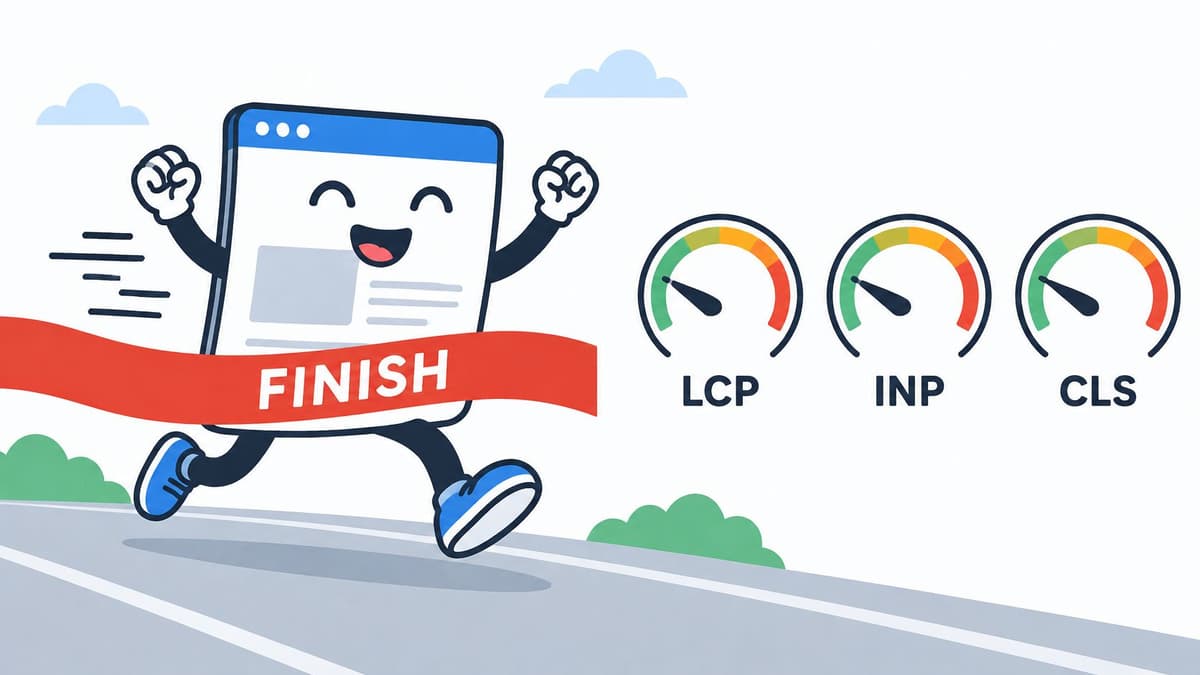
Performance work needs to cover loading, responsiveness and visual stability.
In 2025, 48% of mobile origins passed all Core Web Vitals, according to SQ Magazine's web design statistics. That's an origin-level finding, not proof that any particular landing page or checkout performs well.
Test the experience visitors actually receive
Pass when field reporting shows good results across LCP, INP and CLS for relevant page groups, and representative journeys show no material regressions. Fail when a strong laboratory result hides slow mobile interactions or unstable post-consent layouts.
For a product page, inspect the LCP element before changing unrelated scripts. Don't lazy-load the hero image if it's the main visible content; size and deliver it appropriately. Reserve image and embed dimensions, then investigate long JavaScript tasks when filters or menus respond slowly.
Use the accompanying video alongside your own browser traces and field reports.
Monitor Search Console and CrUX trends alongside repeatable laboratory tests and real-user measurements where available. Include consent banners, analytics and chat widgets in testing rather than measuring an artificially clean page.
A disciplined website performance optimisation process prioritises the slow template and affected journey, not a cosmetic score improvement.
8. Mobile Usability and Responsive Rendering
Priority: Launch gate alongside desktop smoke testing. Open the actual production page on a phone, then compare its rendered content with the desktop version. Resizing a desktop browser alone won't expose every touch, keyboard or consent interaction.
Google accounted for 97.86% of UK mobile search activity in October 2026, according to StatCounter's UK mobile search report. For a UK-facing site, mobile rendering failures therefore deserve immediate investigation.
Compare content, controls and routing
Pass when mobile exposes the same primary content, meaningful internal links, metadata and structured data, with usable navigation and forms. Fail when responsive components remove essential content, overlays block access or client-side navigation works only after entering through the homepage.
Say a SaaS pricing page contains a fixed-width comparison table. Don't hide it on phones to eliminate horizontal overflow. Rework the layout into readable groups while preserving the information users need to choose a plan.
- Inspect rendered HTML: Confirm headings, body copy, image alternatives and links survive mobile rendering.
- Exercise touch controls: Test menus, accordions, dismiss buttons and form errors on real devices.
- Request routes directly: Refresh deep links and open them in a clean session to expose routing failures.
Check readable text, viewport configuration and tap spacing without relying on an arbitrary universal font-size rule. A design can meet a token size setting and still be difficult to use.
Monitor mobile templates after navigation, consent-manager and component-library changes. Keep screenshots and interaction checks for important landing, signup and checkout journeys, not just the homepage.
9. Structured Data and Schema Markup Validation
Priority: After discovery and rendering are reliable. Structured data can describe a page accurately, but it can't compensate for inaccessible content or an accidental noindex directive.
Run representative URLs through Google's Rich Results Test and validate their vocabulary with the Schema.org validator. Inspect the rendered markup too, especially where plugins and application components can both inject JSON-LD.
Validate meaning as well as syntax
Pass when markup parses, matches visible content and uses appropriate types and properties. Fail when it describes unavailable products, stale prices, hidden claims or entities that conflict with the page.
Say an ecommerce platform generates Product markup from its catalogue. Source availability, price and currency from the same records used for the visible product information. Maintaining separate manually edited values creates avoidable drift.
Not every valid Schema.org type supports a Google rich-result feature, and eligibility doesn't guarantee display. Treat rich-result validation and general vocabulary validation as related but different checks.
- Check template coverage: Test product, article, organisation and breadcrumb implementations where relevant.
- Remove conflicting output: Identify duplicate markup from themes, plugins and custom components.
- Test content changes: Confirm unavailable inventory and updated author information appear consistently in visible content and markup.
Monitor Search Console enhancement reports where available and rerun saved validation cases after template changes. For a consultancy site, organisation and author information should clarify who publishes the content, not manufacture credentials or reviews.
Assign markup ownership to the team maintaining the underlying content model. That makes schema maintenance part of publishing and engineering, rather than an isolated SEO task someone remembers after launch.
10. Site Architecture, Internal Linking, and Crawl Depth
Priority: High during redesign planning and post-launch validation. A page can appear in your sitemap while remaining absent from navigation, category hubs and contextual links. That's a discovery problem a sitemap alone doesn't solve.
Crawl from the homepage, then compare discovered URLs with your CMS inventory, sitemap and search landing pages. Investigate important URLs missing from the crawl, and review unnecessarily long navigation paths.
Make important routes discoverable and usable
Pass when priority pages have relevant crawlable HTML links, descriptive anchors and a clear place in the hierarchy. Fail when commercial pages are orphaned or navigation depends entirely on interactions that don't expose usable links.
For a SaaS knowledge centre, build topic hubs linking to relevant guides and product pages. Don't add every article to a giant footer merely to reduce measured depth.
Accessibility belongs in this audit. GOV.UK's public-sector accessibility guidance identifies WCAG 2.2 Level AA as the practical compliance standard and requires public-sector organisations to maintain an accessibility statement.
- Test keyboard access: Reach navigation, activate links and dismiss menus without a mouse.
- Inspect semantics: Check heading structure, descriptive link text, control names and visible focus.
- Complete forms: Verify labels, understandable error messages and usable error recovery.
Don't translate public-sector requirements into an identical statutory duty for every private website. GOV.UK's equality and accessibility guidance distinguishes equality obligations and accessibility requirements; assess the organisation's actual scope.
Monitor orphan pages, navigation changes and accessibility regressions after component releases. Automated scans help, but manual keyboard and form testing remain necessary.
How the ten technical SEO checks compare by tooling, main benefit and main risk
| Item | Primary Tools | Main Benefit | Main Risk |
|---|---|---|---|
| Crawlability and Robots.txt Configuration | robots.txt, Google Search Console | Guides crawlers to important pages and resources | Broad blocks can prevent crawling of important content |
| XML Sitemap Validation | XML sitemaps, Google Search Console, Bing Webmaster Tools | Helps search engines discover important URLs | Stale or invalid URLs waste crawl attention |
| Indexability, Canonicalization, and Duplicate Content Management | Meta robots, X-Robots-Tag, canonical tags, Google Search Console | Controls indexing and consolidates duplicate-page signals | Template mistakes can affect many URLs |
| HTTP Status Codes and Broken Links | Site crawlers, Google Search Console | Improves crawl efficiency and user experience | Large-site crawls can be resource-intensive |
| Redirect Chains, Loops, and Redirect Mapping | Site crawlers, server or CDN redirect rules | Preserves signals and reduces redirect hops | Large redirect maps can be error-prone |
| HTTPS, Security Headers, and Mixed Content | TLS certificates, HSTS, CSP, SSL Labs | Protects data and builds user trust | Certificate failures or strict policies can cause issues |
| Core Web Vitals Performance (LCP, INP, CLS) | PageSpeed Insights, Lighthouse, Chrome UX Report | Improves measurable page experience | Lab results may differ from real-user data |
| Mobile Usability and Responsive Rendering | Lighthouse, Google Search Console, real-device testing | Supports mobile-first indexing and mobile usability | Device variation makes testing time-consuming |
| Structured Data and Schema Markup Validation | JSON-LD, Google Rich Results Test, Schema.org Validator | Can enable enhanced search presentation | Eligibility does not guarantee rich result display |
| Site Architecture, Internal Linking, and Crawl Depth | Site crawlers, analytics, sitemaps | Improves discovery and authority flow to priority pages | Restructuring can risk traffic if redirects are incomplete |
Turning One Audit Into a Standing Monitoring Routine
A technical SEO checklist becomes useful when each failed test creates an owned action, not just another exported spreadsheet. Record the affected URL or template, the observed behaviour, the expected result and the evidence needed to close the issue. Developers should be able to reproduce the problem without reconstructing the audit.
Start your first audit with crawlability, indexability and status codes. Confirm that search engines can fetch the intended pages, that those pages don't exclude themselves, and that the server returns appropriate responses. Then validate migration redirects before investigating mobile rendering, HTTPS, internal architecture, performance and structured data.
Match the check to the change
- After every release: Run a full crawl and compare it with the previous baseline, including directives, canonicals, response codes and newly orphaned pages.
- Weekly: Review Search Console indexing coverage and Core Web Vitals, focusing on important page groups rather than headline totals.
- After template changes: Recheck redirects where routing is affected, validate structured data and compare mobile-rendered content.
- After infrastructure changes: Retest robots.txt, certificates, caching, security policies and bot access.
For a large catalogue, a complete crawl may take longer than the release window. Run a targeted smoke test immediately, start the full crawl in the background and keep its findings attached to the release. Don't delay checking a revenue-critical template while waiting for an exhaustive report.
Separate launch acceptance from search-engine outcomes. You can verify that a page is technically indexable immediately, but you can't promise when a search engine will revisit or include it. Track both without treating delayed reporting as proof that a deployment failed.
Keep a small, representative test set covering marketing pages, product pages, articles, forms and application routes. Include awkward cases such as removed content, filtered URLs, deep links and consent-dependent components. Those cases expose configuration problems that a homepage-only check misses.
If maintaining this cycle in-house isn't realistic, Digital Souls Studios LTD offers all-in-one retainers covering maintenance, documentation, servers, deployments, design and consultation, with performance work available through the studio's SEO and performance services. Define the audit scope and acceptance criteria before production so ongoing checks have clear owners.
The practical target isn't a permanently clean report. It's a team that notices an unexpected block, broken route or slow template promptly, understands its business impact and can verify the fix.
Digital Souls Studios LTD provides technical SEO improvements, web performance work and ongoing support for websites and applications. Visit Digital Souls Studios LTD to discuss your launch or redevelopment, define the checks your platform needs, and scope the maintenance needed to keep them running.