12th November 2026 · 16 min
What Is Lazy Loading? How It Speeds Up Websites

Lazy loading postpones below-the-fold images, video and embedded components, fetching them only when a visitor is likely to need them. On a median mobile home page that weighed 2,362 KB, that timing decides whether the first screen appears before the rest of the page arrives.
You're on a category page, thumb ready, and the product you want sits three scrolls down. The hero is up, yet the browser is still pulling every thumbnail, a map and a chat widget nobody has opened. That queue is what a careful loading plan breaks. It doesn't shrink the files. It decides which of them earn a place on the first request, and which ones wait for a scroll, a tap or a route change.
Table of Contents
- Lazy Loading Explained in Plain English
- What Loads Now and What Waits
- Why Deferring Content Speeds Up Pages and Saves Data
- Three Ways to Implement Lazy Loading
- Lazy Loading in Practice on Real Sites
- Trade-offs, Accessibility and SEO Risks
- Debugging Lazy Loading Problems
- Where to Apply Lazy Loading First
Lazy Loading Explained in Plain English
Lazy loading is a technique that postpones downloading or rendering non-critical content, such as below-the-fold images, videos or embedded components, until it is likely to be needed. Picture a hotel that prepares each room when a guest checks in, rather than making up every room before breakfast. The front desk is ready. Rooms further down the corridor wait until someone is walking toward them.
The browser follows the same idea. The initial load is the set of requests needed before the first screen appears. The viewport is the visible part of the page. A hero sitting in that window loads at once. A gallery below it is fetched as the visitor scrolls toward it.
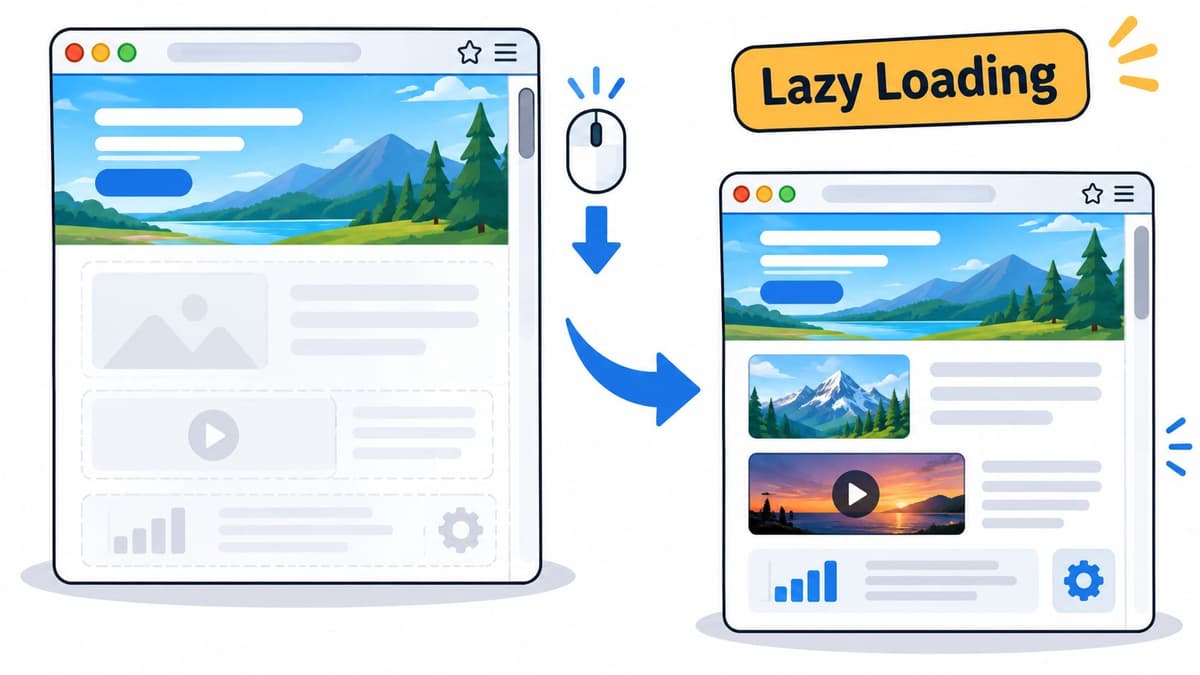
Lazy loading does not make those images or videos smaller. It changes when they are requested. That timing matters on UK mobile networks, where speeds vary sharply by generation. Ofcom's Mobile Matters 2025 report found that in its 2025 measurement period, 88% of UK 3G connections, 28% of 4G connections and 8% of 5G connections had average download speeds below 10 Mbit/s. Only 31% of 3G connections could support core online activities above 5 Mbit/s, compared with 85% of 4G and 96% of 5G.
Deferring what a visitor cannot yet see cuts the data required in that first moment, which helps people on slower or congested connections across cities and rural areas alike. Pair it with explicit image dimensions, compression, responsive formats and a clear priority for content above the fold.
If the visitor cannot see it yet, it is a candidate for lazy loading.
What Loads Now and What Waits
Anything on the first screen loads immediately. Anything still out of view is a candidate to wait. Treat that as a classification, not a site-wide switch.
| Content | Loads at first render? | Typical approach | Why |
|---|---|---|---|
| Hero image above the fold | Yes | Load eagerly with high priority | Delaying it worsens Largest Contentful Paint |
| Product images further down | No | Native loading attribute set to lazy | Not visible until the reader scrolls |
| Embedded video or map | No | Load on play or near the viewport | Heavy third-party payload |
| Chat widget or comment thread | No | Load after first interaction | Non-essential script |
| Primary stylesheet and body font | Yes | Load with the HTML | Needed for first render |
| Content in a closed tab or modal | No | Load when opened | Not seen until the reader acts |
| Secondary dashboard panel | No | Fetch when it enters view | Keeps the first query small |
Three rows carry most of the decision. The hero image stays eager and high priority, because it is usually the largest thing in view and delaying it worsens Largest Contentful Paint. Product images further down take loading="lazy", since they stay hidden until someone scrolls. An embedded video or map stays off the first request and loads on play, or as it nears the viewport, because those third-party files are large.
The rows that surprise people
The primary stylesheet and the body font travel with the HTML. Without them the page cannot render cleanly, so holding them back creates a flash of unstyled text rather than a quicker page. A chat widget or comment thread can wait for the first click. Content inside a closed tab or modal waits until it is opened. A secondary dashboard panel is fetched when it enters view, which keeps the first database query small.
Critical content loads first. Off-screen content loads just before it enters view, not minutes later and not all at once.
List every image and embed on your page. Mark each as visible on first render or not. The second group is your deferral list. The first group stays on the initial request.
Why Deferring Content Speeds Up Pages and Saves Data
Pages became heavy long before load order was commonly treated as a design choice. Ofcom-cited evidence on data speeds records that the average page size grew from approximately 700 kB in 2010 to more than 2,100 kB in 2015, roughly a threefold increase. SQ Magazine, reporting HTTP Archive figures, put the median mobile home page at 2,362 KB in July 2025, up from 845 KB in July 2015.
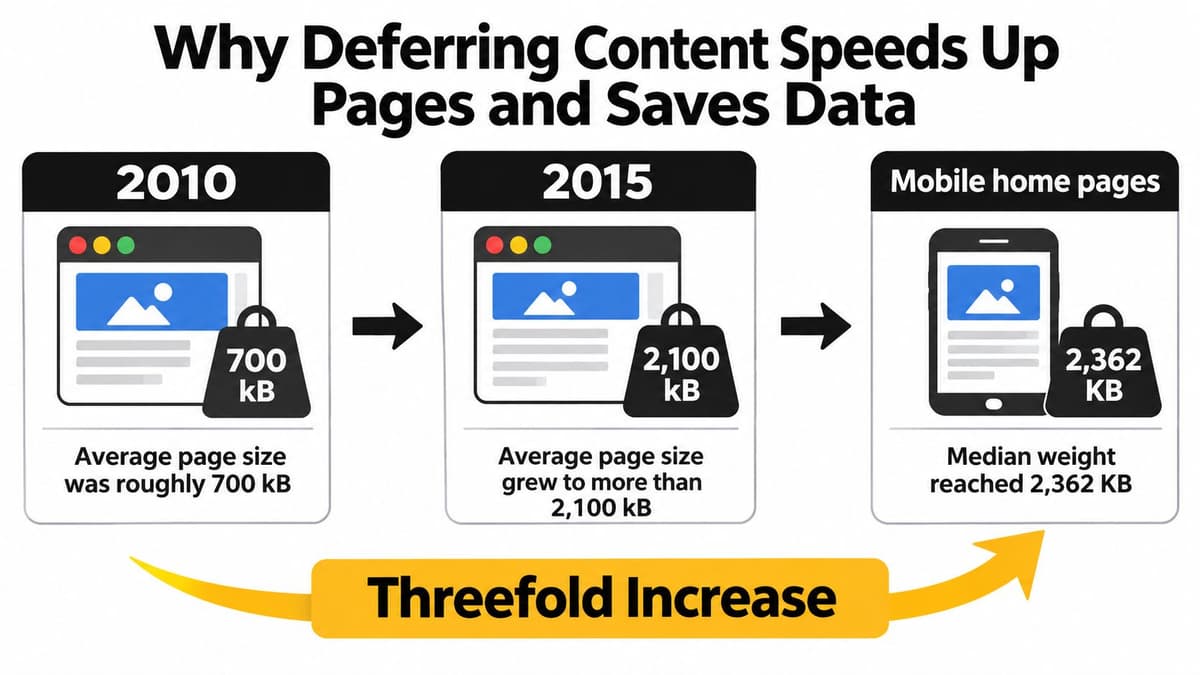
The same Ofcom analysis stated that, at the 2015 average page size, loading a page over a 2 Mbit/s connection could take around 10 seconds, and that cutting that wait to about 3 seconds would likely need approximately 8–10 Mbit/s. A browser should not have to download every file on a long page before it can show something useful.
| Measure | Figure | Context |
|---|---|---|
| Average page size, 2010 | about 700 kB | Ofcom-cited evidence |
| Average page size, 2015 | more than 2,100 kB | Ofcom-cited evidence, roughly threefold growth |
| Load time of a 2015-size page on 2 Mbit/s | about 10 seconds | Ofcom analysis |
| Throughput for about a 3 second load | 8–10 Mbit/s | Ofcom analysis |
| Median mobile home page, July 2015 | 845 KB | HTTP Archive via SQ Magazine |
| Median mobile home page, July 2025 | 2,362 KB | HTTP Archive via SQ Magazine |
Where the saving comes from
Say a page holds 20 images and only four are visible on arrival. Deferring the other 16 cuts the first network workload. Actual savings still depend on dimensions, formats, caching and whether anyone scrolls.
- A faster first view: useful content can paint without the rest of the page.
- Less data on limited plans: files a visitor never reaches are never transferred.
- Less browser work: fewer bytes compete with critical HTML, CSS and JavaScript for the network and the main thread.
Search engines treat Core Web Vitals as page experience signals. Deferral helps when it protects the largest paint and a stable layout. It hurts when important text is never requested, because a crawler or a visitor who doesn't scroll never receives it. Fold this into a wider website performance optimisation pass rather than treating one attribute as the whole job.
Three signs it is paying off: a faster first view, a lower initial byte count, and a layout score that doesn't worsen.
Three Ways to Implement Lazy Loading
The practical job is a short critical request chain, with the visible screen rendered first. The Government Digital Service frontend performance standard recommends investigating lazy loading on pages with many images, and loading only the images in the immediate browser viewport. Fewer bytes, and fewer decoding, parsing and layout tasks, then compete with critical HTML, CSS, fonts and above-the-fold JavaScript.
| Method | Needs JavaScript? | Best for | Main limit |
|---|---|---|---|
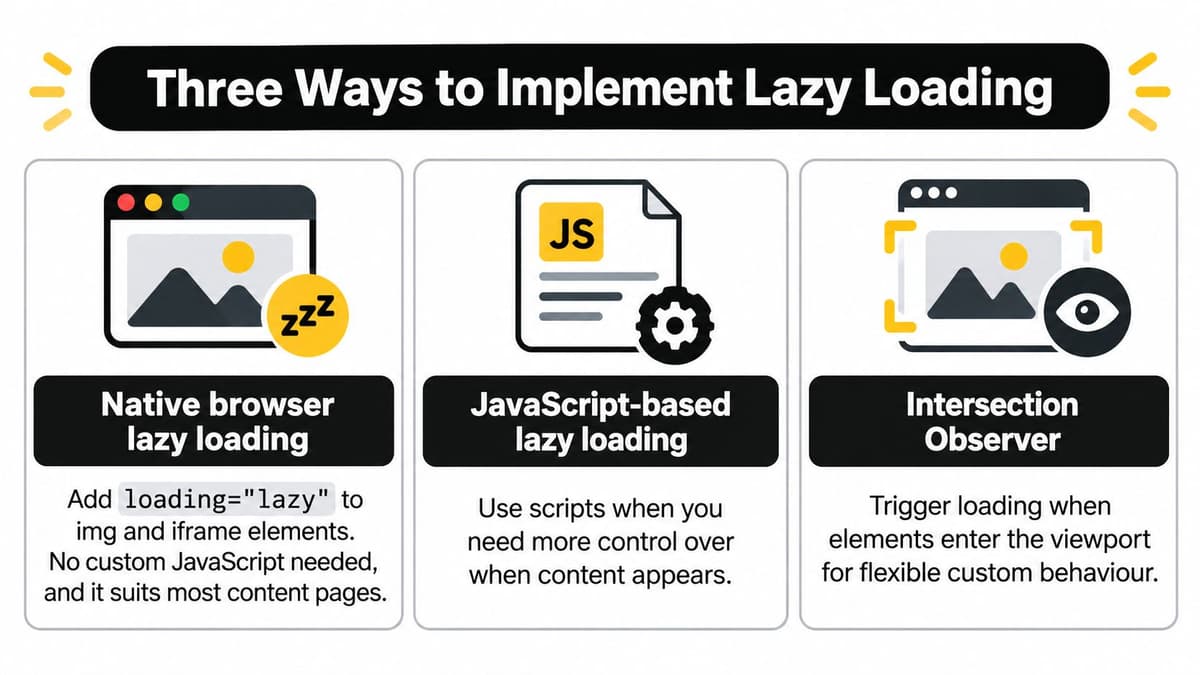
| Native loading attribute | No | Images and iframes on content pages | Little control over how far ahead loading starts |
| Intersection Observer | Yes | Custom galleries, feeds and infinite scroll | Extra code to write and test |
| Framework code splitting | Yes | React and Next.js components and routes | Tied to the framework's build output |
Native browser lazy loading
Add loading="lazy" to img and iframe elements. There is no custom script, which suits articles, catalogues and most marketing pages. You get little say over how far ahead the browser starts fetching, and this attribute cannot defer JavaScript.
Intersection Observer
A small script watches elements and starts a request as they approach the viewport. You choose the threshold and the root margin, which fits a custom gallery, a feed or infinite scroll. The cost is code you must test on a slow connection and with scripting turned off.
The clip below shows that observer pattern in a live page, which helps when the native attribute isn't precise enough.
Framework splitting
In React, React.lazy with Suspense defers a component or a route until it is needed. In Next.js, next/image lazy loads images by default, and next/dynamic holds back a heavy module such as a chart or editor. Reach for this only when the module itself is large. A tiny tooltip isn't worth an extra request.
Use this order. Start with native loading. Move to an observer only when you need custom behaviour. Use framework splitting for heavy interactive modules. Lazy loading isn't the same as hiding every asset behind JavaScript. The largest above-the-fold image stays eagerly discoverable, because delaying it can worsen Largest Contentful Paint, and deferred assets should reserve their dimensions so the layout doesn't jump. Visitors on low connectivity or older devices are the ones excluded when many assets load and run slowly.
After any change, confirm three things. The hero stays eager. Width and height are set. The essential text still reads with JavaScript disabled. Validate in Lighthouse and with real-user Core Web Vitals split by device and connection, not only a test on office broadband.
Lazy Loading in Practice on Real Sites
A product grid, an audit log and an article video all have different loading priorities. Start with what visitors need for the next decision, then defer content that can wait until a clear trigger.
A category page with 60 thumbnails
A shopper choosing trainers needs the first row, filters and prices right away. Load the first row eagerly, then use native lazy loading for thumbnails farther down the page. Set each image's width and height so the grid keeps its shape as images arrive. Keep product names and prices in the HTML, where they remain available without waiting for a scroll-triggered script.
An audit-log dashboard
A compliance user may open a log to answer one question, not to retrieve a year of events. Smaller initial queries reduce database work, response size, serialization cost, browser memory and the time spent drawing rows the user has not requested. Return a bounded window of 50 rows, ordered by timestamp with cursor pagination so the order stays stable as new events arrive. Load a related user record when the user opens a row.
The Government Digital Service performance testing guidance includes lazy loading among ways to address inefficient database queries, alongside adding or changing indexes. Deferring data does not replace query tuning. Fetching a related user separately for every row creates the N+1 query problem, adding sequential database requests and latency. Batch related records, and index the columns used for filtering.
Reducing unused bytes on the critical loading path can improve loading, especially on slow connections and older phones. Measure the first meaningful response as well as the wait after each interaction, using realistic mobile conditions.
A long article with video
Keep the article text and opening image available on the initial load. Defer the video player until the reader scrolls near it or presses play. Someone who reads only the third paragraph then avoids downloading a player they never use.
Load what the visitor needs for the first decision, and defer the rest behind a trigger you can name.
Track deferred requests, cache hit rates, query counts and abandonment at each loading boundary. A faster initial display is only a gain if the next interaction still responds promptly.
Trade-offs, Accessibility and SEO Risks
A photo can arrive after the page opens, but its meaning should be available from the start. Images need suitable alternative text so people using screen readers can understand information conveyed visually. That description belongs on the image even when its file is deferred.
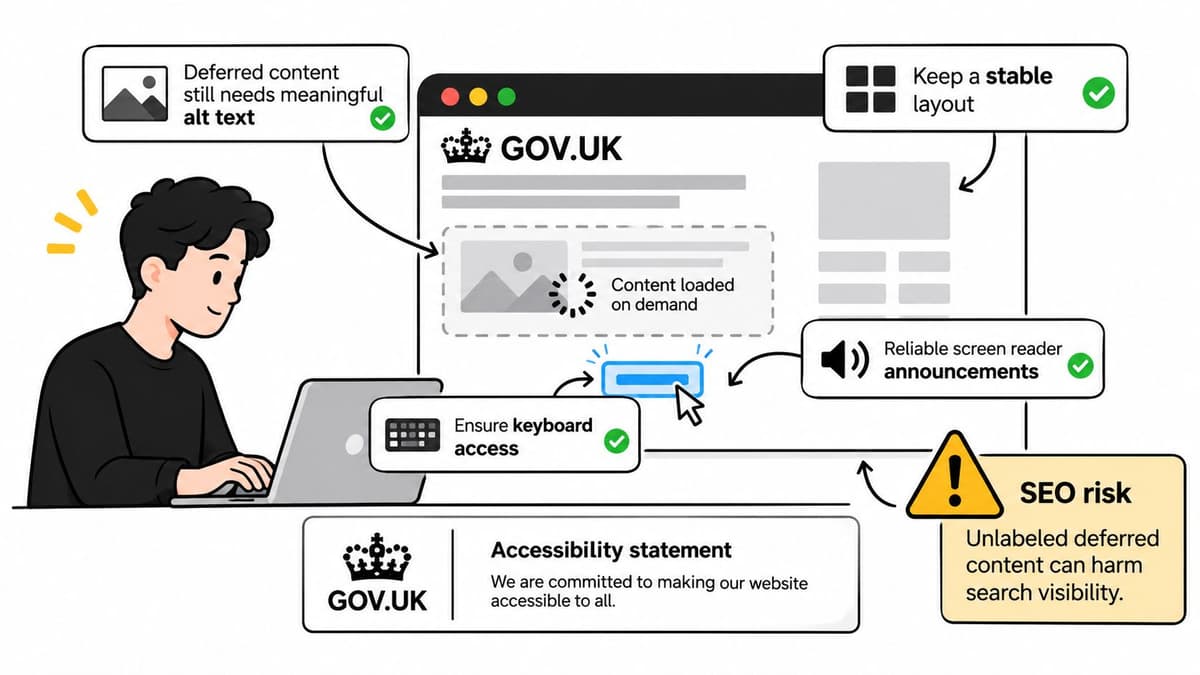
Before deferring a block, ask what a screen-reader user, a keyboard user, a search crawler or a visitor with JavaScript disabled will encounter while it waits.
A delay isn't always harmless
A brief wait for an image near the bottom of an article may go unnoticed. A delay to a call to action, price or form label can prevent someone from completing a task. Choose what to defer by considering who needs it and when, not just how many bytes it saves.
- Images: Keep useful alt text on the
imgelement, even when the image file loads later. - Dynamic panels: Use semantic HTML, and expose loading and error states in a way assistive technology can announce.
- Layout: Reserve space for delayed content so it does not shift beneath a keyboard user's focus.
- Search: Text and links revealed only after a click may not be indexed. Keep important copy in the HTML. A technical SEO checklist offers a useful review of the markup.
Deferring a file should not remove its meaning or function from the page structure. Below-the-fold media can wait; navigation, form labels and legal notices should be available from the first response.
The acceptance test has two parts: did the page use fewer resources upfront, and can every visitor still find, understand and operate its content?
Debugging Lazy Loading Problems
Run Lighthouse on the page, then check real-user Core Web Vitals split by device and connection. A pass on office broadband doesn't describe a visitor on a congested mobile network.
| Symptom | Likely cause | Fix |
|---|---|---|
| Hero image appears late | Hero marked lazy or missing priority | Remove lazy loading and set high priority |
| Layout jumps as images load | No width and height reserved | Set explicit dimensions or an aspect ratio |
| Images missing for search crawlers | Image source injected only on scroll | Keep a real src on img tags in the HTML |
| Slow list with many requests | One query per row (N+1) | Batch related data and use cursor pagination |
| Empty panel for keyboard users | Content inserted after a click with no announcement | Announce the loading state and keep focus order |
| Largest Contentful Paint worse after release | Largest image deferred | Keep the LCP image eager and preload it |
Start with the most visible fault. A late hero usually costs more visits than a small shift further down the page. Read the row, change that one cause, and measure again before you touch the next row.
How to confirm the fix
- Throttle the network: in browser developer tools, use a slow 4G profile rather than your office connection.
- Watch the waterfall: scroll and note which requests fire only as elements approach.
- Turn JavaScript off: essential text, prices, labels and navigation should still be in the page.
- Count requests: compare the first load before and after, then count the requests that fire on the next interaction.
- Watch later steps: log deferred requests, cache hit rates and query counts so a quicker first paint doesn't hide a slower second click.
Change one thing at a time, and compare the same URL under the same device and connection.
If Largest Contentful Paint got worse after a release, the largest image was probably deferred. Put it back on the eager path and preload it before you tune anything else.
Where to Apply Lazy Loading First
Decide from the first screen of the live page, not from a generic template. Work in this order, and stop when the first screen is already lean.
- Leave the largest above-the-fold image, the primary stylesheet, the body font and essential application code on the initial request. Delaying that image worsens Largest Contentful Paint, so it isn't a candidate.
- Defer the heaviest items the visitor cannot see yet: thumbnails past the first row, galleries, maps and video embeds. Use native lazy loading, or load video when the reader presses play, and reserve width and height.
- On a dashboard, return a bounded window such as 50 audit rows with cursor pagination ordered by timestamp. Fetch related user details only when a row opens, in one batched query rather than one query per row.
- Split heavy React or Next.js modules only after images and queries are already deferred. A chart or editor can wait. The shell of the page should not.
Compare the same URL before and after on a throttled slow 4G profile, with JavaScript on and off. Recheck Core Web Vitals by device and connection. Pass the change only when a screen-reader user, a keyboard user and a search crawler can still find, read and operate the content. That same care belongs in mobile-friendly web design, where the first screen has even less room. At launch, we help launch the project and leave it in a state a team can run, including the checks above.
Digital Souls Studios LTD designs and builds web applications and SaaS products with performance treated as part of the build, including selective loading, accessible markup and measurement on real devices. If your first screen is competing with galleries, maps or dashboard queries, we can help you decide what loads now and what waits. Visit Digital Souls Studios LTD to talk through your pages.